Best Apps for Procrastination: 10 Tools That Work for ADHD (2026)
The 10 best procrastination apps for ADHD brains. Not willpower lectures — cognitive architecture and dopamine engineering tools that get you started.
Jan Kutschera
Your Brain Isn’t Broken, Your Tools Are.
Most advice about apps for procrastination is still weirdly moralistic. It assumes you need more discipline, a prettier to-do list, or a louder morning routine. Founders know better. If your brain avoids the task that matters most, that’s not a character flaw. It’s feedback.
For ADHD founders, procrastination usually isn’t laziness. It’s a mismatch between the job, the moment, and the system around you. If you want the deeper framework behind this, the complete guide to stopping procrastination with ADHD breaks down why your brain avoids what matters and how to fix the system, not the guilt. Generic productivity hacks often make that worse. They pile on more decisions, more guilt, and more tabs. Then people call the crash a motivation problem.
The fix is more technical than inspirational. You need tools that either reduce friction before work starts or increase the right kind of friction before distraction wins. If you can’t even get started, the smallest-action method for ADHD procrastination is a good primer on how to shrink the entry point so your brain stops treating the first step like a threat. That’s where two lenses matter.
Cognitive Architecture means building external support for a brain that shouldn’t have to remember everything, initiate everything, and regulate everything alone. Dopamine Engineering means creating repeatable reward loops so work becomes easier to enter without relying on panic.
A systematic analysis of 127 procrastination apps found the category is fragmented into distinct motivational design archetypes, with the largest cluster making up 51.2% of apps (n=65). That’s the problem in plain English. Most tools are built around generic control, not around how different brains initiate action.
If you’re a founder, you don’t need another lecture about focus. You need a stack that works when your brain fights back. And if the real problem is that you can’t get started at all, no app list will save you until you fix the activation layer first.
Table of Contents
- 1. Freedom
- 2. Cold Turkey Blocker
- 3. one sec
- 4. Focusmate
- 5. Habitica
- 6. Forest
- 7. Sunsama
- 8. TickTick
- 9. RescueTime
- 10. Beeminder
- Top 10 Procrastination Apps: Feature Comparison
- Beyond Apps Engineer Your Entire Founder OS
1. Freedom
Freedom is what I’d call a clean Cognitive Architecture tool. It blocks sites, apps, or the wider internet across devices, which matters because founders don’t procrastinate in one place. They start on the laptop, drift to the phone, then somehow end up checking Slack while pretending to review strategy.
The actual value isn’t the block itself. It’s that you can schedule recurring sessions and stop negotiating with yourself every morning. If your focus routine depends on deciding again each day, you’ve already lost energy you needed for actual work.
Best for recurring focus fences
Freedom works best when you treat it like a perimeter, not an emergency brake. Set one block for deep work, another for admin, and a third for evenings if your nervous system likes to wander back into work at midnight.
What it does well:
- Cross-device sync: One account can carry the same focus rules across your main devices.
- Locked sessions: You can make quitting harder, which is useful when your future self becomes a very persuasive lawyer.
- Routine building: Scheduled blocks remove a surprising amount of decision fatigue.
What it doesn’t do well is think for you. You still need to tune your blocklists. iOS also has platform limitations, so if you want surgical exception handling everywhere, you’ll hit some edges.
Practical rule: Use Freedom for repeatable distraction patterns, not for every possible distraction. If you overbuild the fence, you’ll spend your life managing the fence.
For founders with ADHD, that’s the sweet spot. Not punishment. Containment.
2. Cold Turkey Blocker
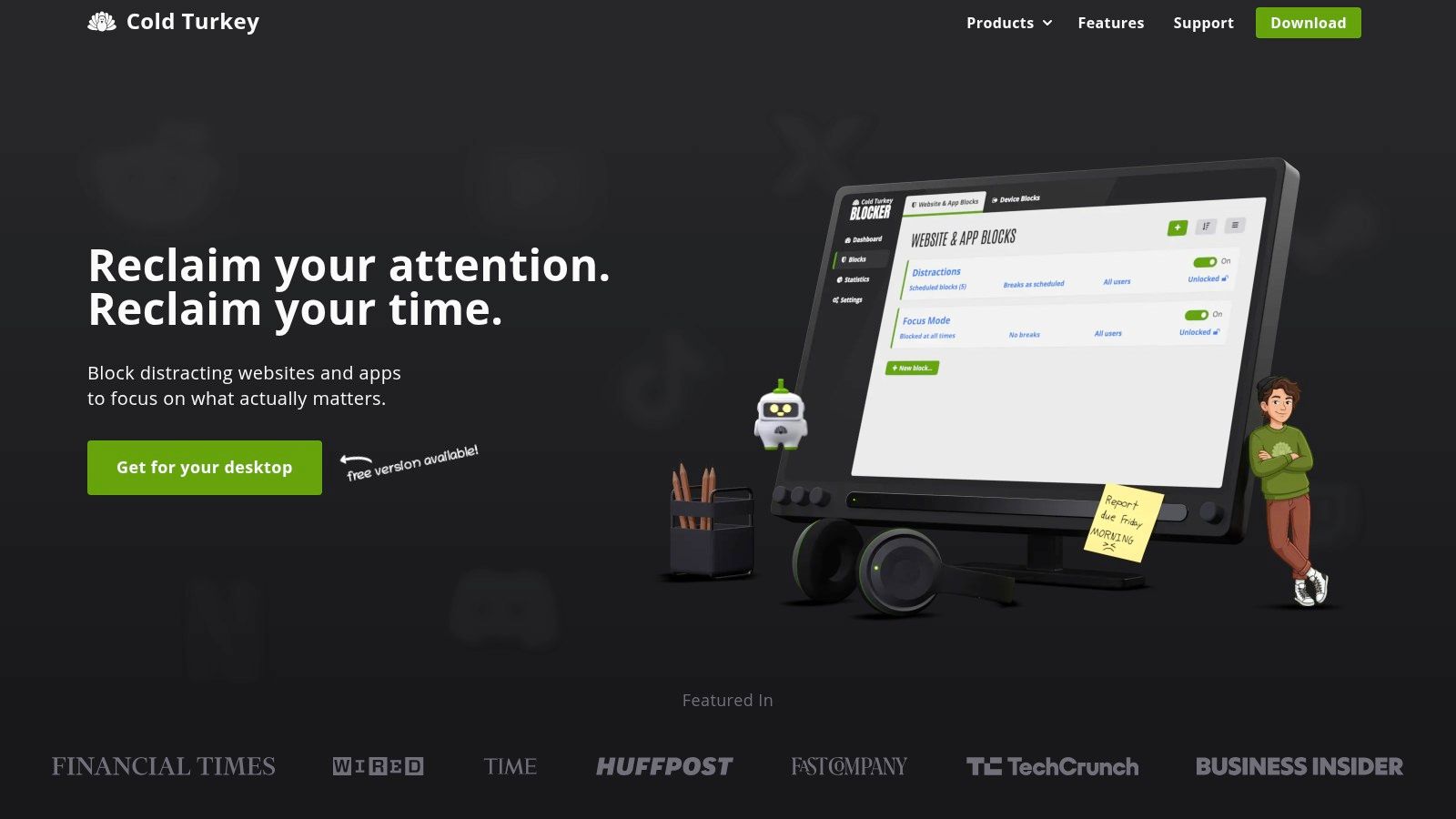
Discipline is overrated when the underlying problem is access. Cold Turkey Blocker works because it removes the option to drift.
For founders with ADHD, this is Cognitive Architecture in its bluntest form. You are not trying to become a person who magically wants to finish the investor update, ship the deck, or clear the backlog. When the blocker isn’t distraction but task paralysis, no app fixes that on its own — but the right constraint tool makes the paralysis less likely to win. You are setting up an environment where the next good action is the easiest one left.
Best for zero-negotiation desktop lockdown
Cold Turkey is desktop-only, and that limitation matters. If your avoidance pattern lives on your phone, this will not save you by itself. But on a laptop or desktop, it is one of the few blockers that still holds up when your brain gets clever and starts looking for loopholes.
What makes it effective:
- Hard-to-bypass locks: Useful for founders who can talk themselves out of softer blockers in 30 seconds.
- Whitelist mode: Good when a work block should include only docs, your project tool, and maybe one research source.
- Strong lock settings: “Frozen Turkey” is aggressive, but there are days when aggressive is the correct setting.
The trade-off is configuration risk. Set it up badly and you create a prison instead of a workspace. I have seen this happen a lot with ADHD founders who overcorrect after a bad week, block half the internet, then spend the next day fighting their own system.
Used well, Cold Turkey is not a motivation app. It is a constraint app. That distinction matters.
A practical workflow is to reserve it for high-resistance work only. Use a 90-minute whitelist block for one outcome, like writing a proposal or finishing payroll cleanup. Leave communication tools out unless they are required for that specific session. If everything is allowed, the blocker has no job. If nothing is allowed, you will resent it and stop using it.
That pattern lines up with a real problem in this category. Founders who keep loading every hour with optimistic time blocks should check the 90-minute focus system for ADHD — it gives you a realistic sprint structure instead of a fantasy schedule. A market analysis on anti-procrastination apps projects growth from USD 1,281.2 million in 2024 to USD 3,500 million by 2035, while also noting that 42% of users abandon these apps within the first month due to frustration. Cold Turkey avoids that trap only when the friction is targeted. Use it as a temporary wall around one important task, not as an all-day punishment system.
3. one sec
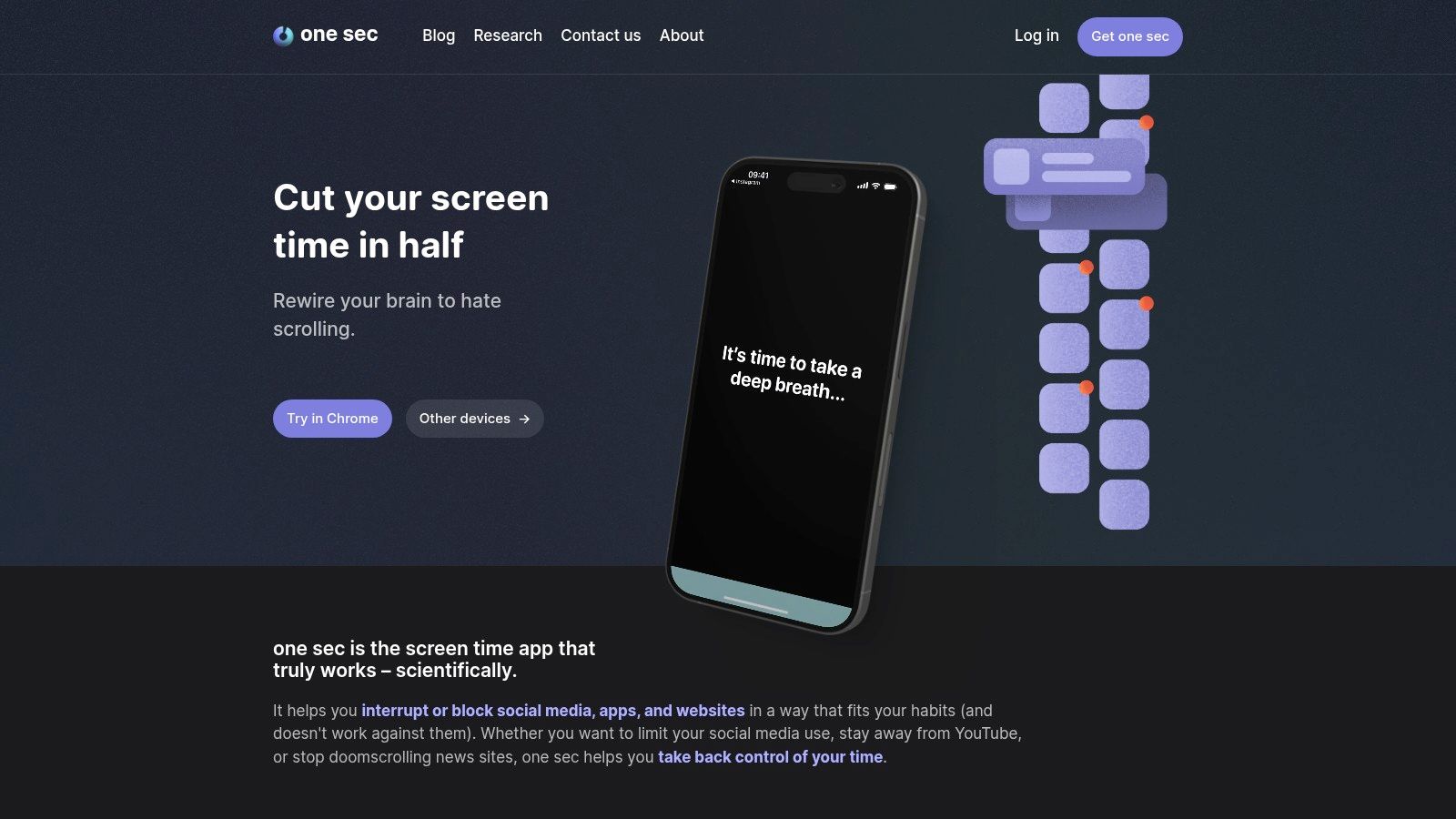
one sec is the opposite of a sledgehammer. It inserts a pause when you open a distracting app, usually with a brief breathing or reflection prompt. Its operation is straightforward. No grand productivity philosophy. Just a tiny interruption between impulse and action.
That sounds small. For ADHD brains, small is often the point. A single 25-minute sprint can be enough to enter a flow state on demand once the impulse loop is interrupted.
Best for interrupting impulse loops
If your procrastination looks like “I’ll just check this for a second,” one sec is one of the smartest tools in the category. It doesn’t try to control your whole day. It targets the exact micro-moment where attention gets hijacked.
I like it as Dopamine Engineering, not because it rewards you, but because it slows the instant reward loop just enough to make choice possible.
A good use case looks like this:
- Target one trigger app first: Instagram, X, YouTube, or whatever steals your mornings.
- Pair it with a blocker: Use one sec for the urge, Freedom or Cold Turkey for the bigger fence.
- Keep expectations realistic: It’s not a hard wall. It’s a speed bump.
Most distraction isn’t a conscious choice. It’s a reflex with a user interface.
The free version being limited to one target app is helpful at the start. It keeps the system focused. The weakness is also obvious. If you’re already in a full rebellion state, a breathing screen won’t save you. But for compulsive checking, it often catches the problem before it becomes a spiral.
4. Focusmate
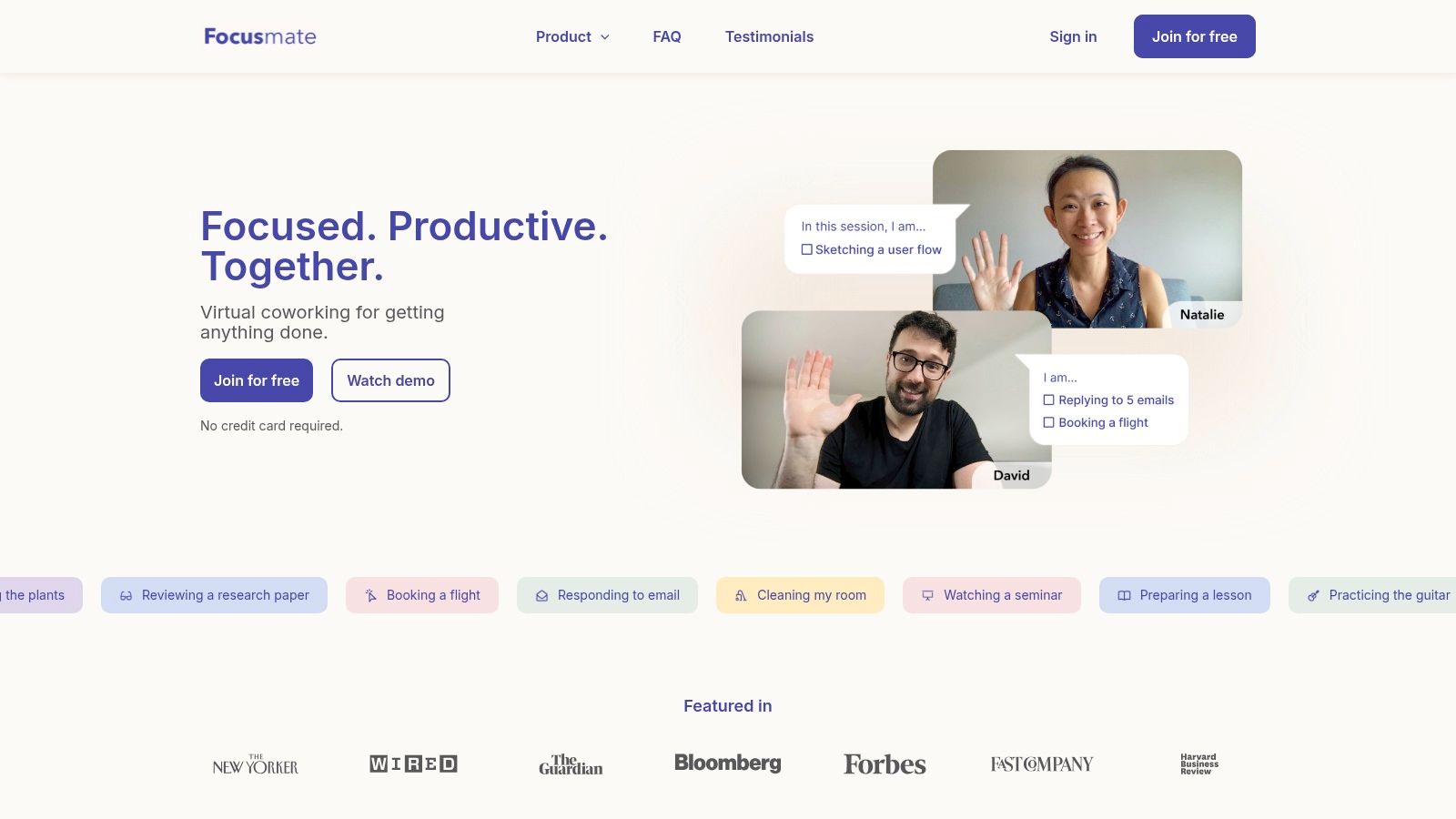
Focusmate solves a problem a lot of founders hate admitting. Sometimes you don’t need a better plan. You need another human present on camera while you finally do the thing.
That’s body doubling without office cosplay. You book a session, get paired with a partner, say what you’ll work on, mute, and then work. The task stays private. The structure doesn’t.
Best for body doubling without office theater
Focusmate is strongest when initiation is the problem. Not prioritization. Not strategy. Just starting. That’s especially useful for founders who can perform under pressure but stall when the work is important, ambiguous, or emotionally loaded.
The platform offers 25, 50, and 75-minute sessions, with a free tier that includes 3 sessions per week and paid plans for unlimited use. That’s a good shape for habit-building because you can test whether body doubling helps before turning it into infrastructure.
Here’s where it wins:
- Low setup friction: You don’t have to build a system before you can use the system.
- Real accountability: Another person is expecting you to show up.
- Repeatable rhythm: Recurring sessions can become a stable scaffold for deep work.
Its limitations are practical. Webcam presence doesn’t suit every work style, and partner experience can vary by time zone.
Still, if standard apps for procrastination keep failing you, Focusmate often succeeds for one simple reason. It adds social structure without adding meetings. If the deeper issue is hyperfocus vs procrastination, body doubling also helps you steer that intense focus toward the right task instead of the nearest one.
5. Habitica
Habitica works best for founders who do not need another planning app. They need a reason to care about dull work before deadline panic kicks in.
It turns tasks into a lightweight RPG with rewards, streaks, parties, and penalties. That sounds gimmicky until you use it on the founder chores that always slip: invoicing, follow-ups, bookkeeping cleanup, CRM hygiene, support triage. The work is clear. The brain still resists. Habitica adds enough artificial interest to get those loops closed.
Best for gamified dopamine on boring work
For ADHD founders, Habitica is mostly a Dopamine Engineering tool, not a planning system. I would not use it to run strategy, roadmap decisions, or high-stakes project management. I would use it to make recurring maintenance visible and slightly rewarding, which is often the difference between “I should do this” and “it got done.”
A setup that usually holds up looks like this:
- Dailies for operational hygiene: zero inbox, approve payments, review pipeline, clear Slack triage.
- To-dos for concrete next actions: “send investor update draft” beats “work on fundraising.”
- Habits for repeat friction points: + for starting a hard task, - for doomscrolling during a work block.
- Party quests for social pressure: useful if cooperative accountability feels motivating instead of intrusive.
There is a real trade-off here. Loss aversion can push one founder into action and push another straight into shame. If missed dailies make you feel punished, Habitica stops being helpful fast. In that case, strip it down, turn off as much guilt-inducing friction as possible, or skip it entirely.
The broader pattern is not unique to this app. A Flinders University review of procrastination app design categories found that many apps cluster around structured monitoring, gamification, reminders, coaching, and social nudges, while ADHD-specific support is still underdeveloped. Habitica is one of the better examples of the gamification bucket. It can improve compliance with boring work, but it will not build your full Cognitive Architecture for you.
Used with that expectation, it earns its place. Used as a total founder OS, it usually breaks.
6. Forest
Forest works because brute force is overrated. Many founders with ADHD do not need another app that scolds them. They need a cleaner starting ritual that makes the next 15 to 30 minutes easier to protect.
Forest is a Dopamine Engineering tool first. You plant a virtual tree, leave your phone alone, and get a small visual reward for holding the line. The Pomodoro technique for ADHD pairs naturally with Forest — the timer creates the commitment, and the tree makes it visible. Break focus early, and the tree dies. That sounds gimmicky until you use it on a day when your brain keeps chasing novelty every three minutes.
Best for phone-triggered avoidance
This app earns its place when procrastination starts with reflexive phone checking. A hard task gets uncomfortable. Your hand reaches for the phone before you even notice. Forest interrupts that loop with a low-stakes commitment that feels lighter than a full blocker and more concrete than telling yourself to “just focus.”
That trade-off matters. Forest creates friction, not enforcement. If you want an app that makes distraction impossible, use Freedom or Cold Turkey. If you need something you will start without internal rebellion, Forest often has better staying power.
What tends to work in practice:
- Use it to start, not to prove discipline: One 20-minute tree is often enough to break task paralysis.
- Pair it with a defined outcome: “Draft the investor update intro” works better than “focus on fundraising.”
- Keep it on your highest-risk trigger: usually your phone, not your laptop.
- Use the ritual intentionally: planting the tree is the cue that work has begun.
Forest also has social features and browser support, but those are secondary. Its primary value is that it lowers activation energy without turning focus into a punishment system.
It is also widely used. As noted earlier, Forest has broad adoption, which fits with what the product does well. It makes focus feel approachable.
Forest will not build your Cognitive Architecture. It gives you a small, repeatable dopamine loop that helps you begin before avoidance takes over.
7. Sunsama
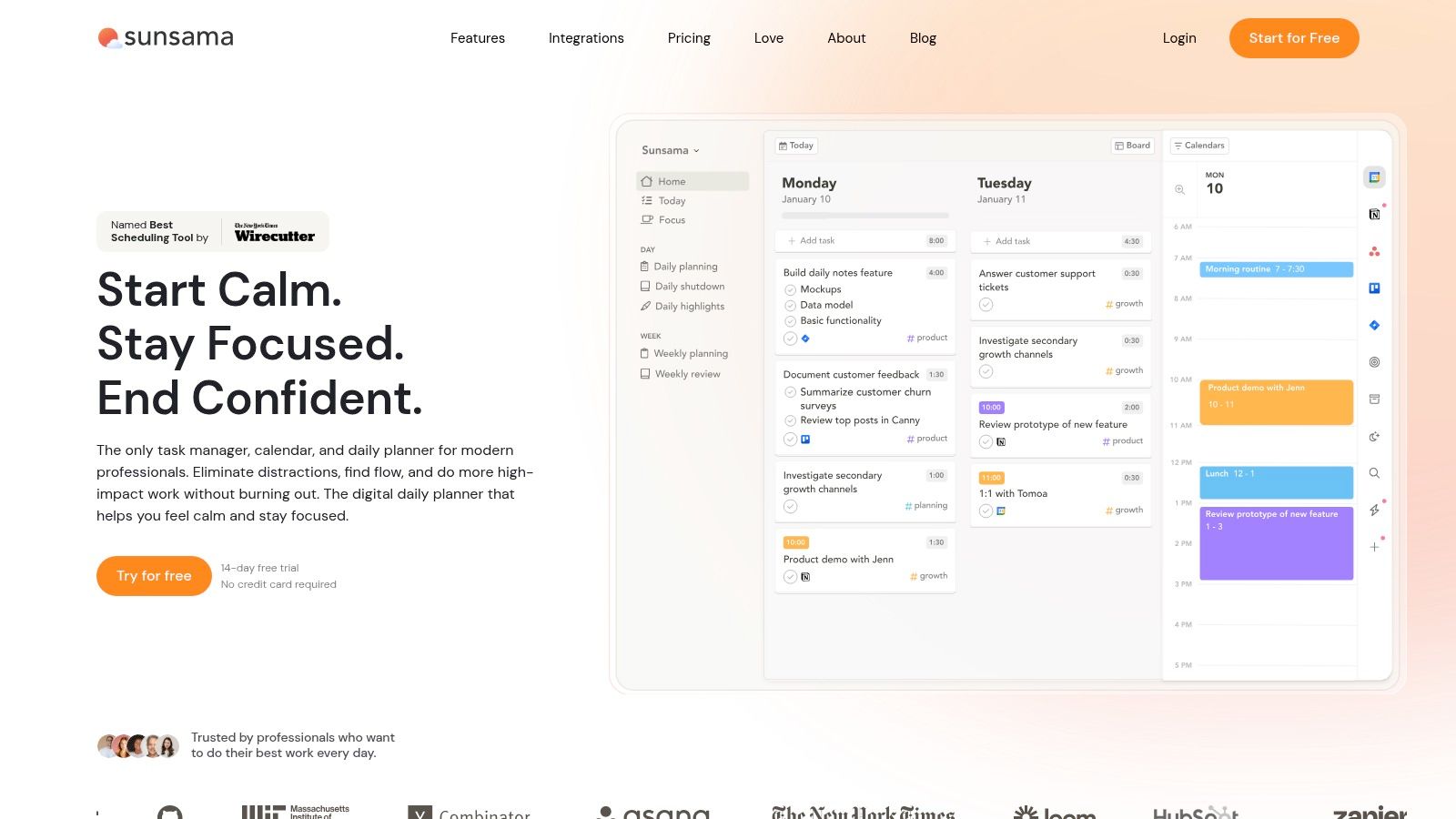
Sunsama is for founders whose procrastination starts with overcommitment. You look at a bloated task list, your calendar is already chaotic, and your brain rejects the whole day on principle. Sunsama fixes that by pulling work from other tools into a calmer, time-boxed daily plan.
This isn’t just task management. It’s capacity management.
Best for realistic founder day design
Sunsama excels at Cognitive Architecture because it reduces the “what should I do now?” tax. It connects with tools like Asana, Jira, ClickUp, and email, then helps you drag work into the actual shape of a day.
That matters more than feature checklists suggest. Founders often procrastinate because every task feels equally urgent until the day collapses.
What Sunsama gets right:
- Daily planning ritual: Forces contact with reality before the day runs away.
- Time boxing: Helps you stop pretending twelve hours of work fit into six.
- End-of-day review: Useful for closing loops instead of carrying them into the evening.
The downside is that it’s opinionated. Some people love that. Some bounce off it immediately. If you hate guided workflows, you’ll feel managed. If your current system is all tabs and denial, Sunsama will feel like air returning to the room.
I wouldn’t use it as a hardcore blocker or a dopamine tool. I’d use it to stop strategic work from drowning in reactive work.
8. TickTick
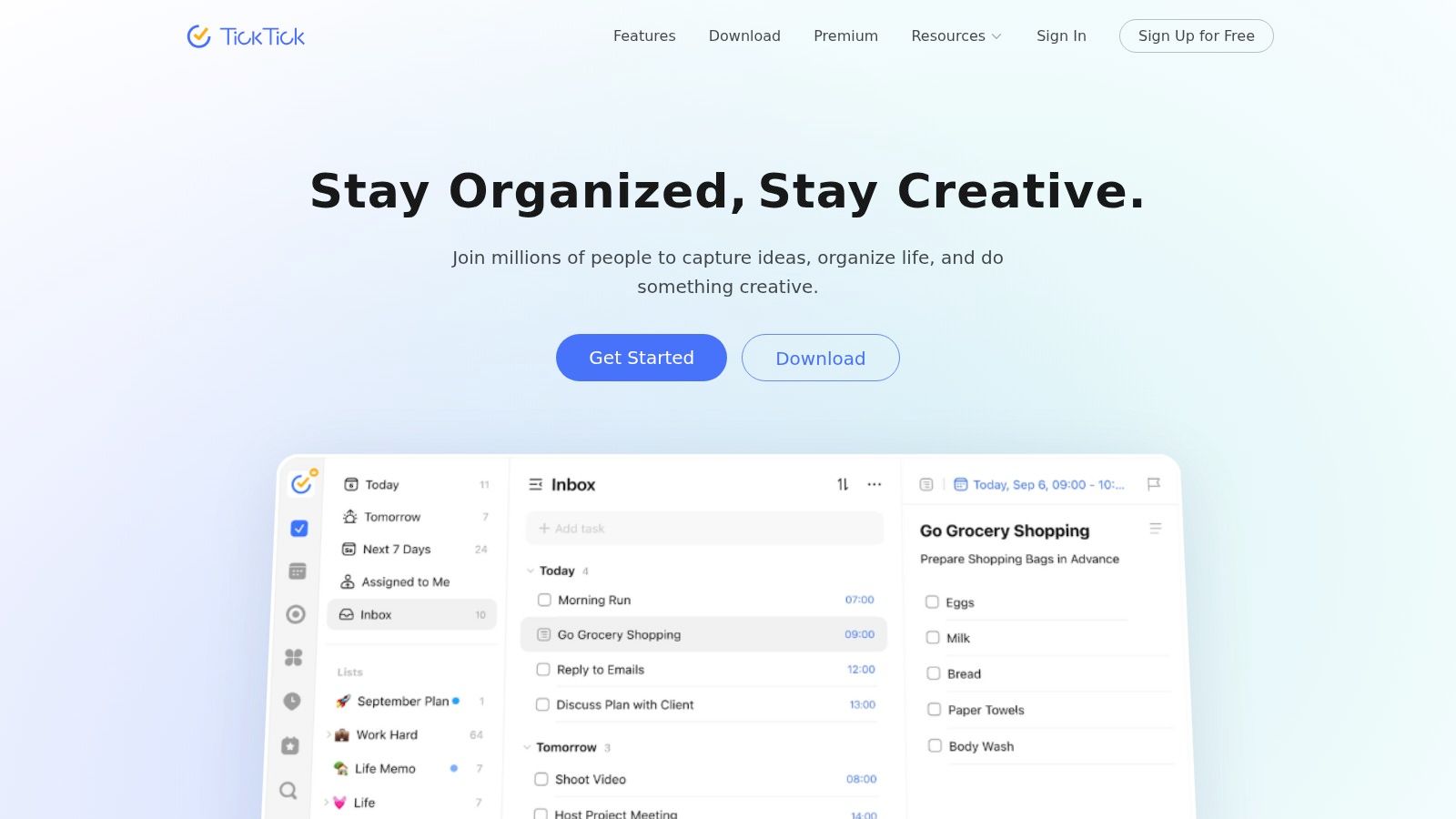
TickTick is what I recommend when someone’s stack has become too clever. They’ve got one app for tasks, one for habits, one for Pomodoro, one for calendar, and somehow all that “optimization” creates more context switching than the work itself.
TickTick fixes that by being good at several basics in one place.
Best for all-in-one lightweight structure
You get natural-language task entry, lists, calendar views, a built-in Pomodoro timer, habit tracking, widgets, and cross-device sync. None of that is unique on its own. Together, it’s useful because it lowers the number of places your attention has to travel.
This makes TickTick a strong entry point for founders who need structure without enterprise software energy.
A simple founder setup looks like this:
- Use inbox capture: Get loose tasks out of your head fast.
- Run Pomodoros inside the task manager: Fewer transitions means fewer escapes.
- Reserve habits for low-drag maintenance: Sleep prep, review ritual, movement, shutdown.
The weakness is scale. TickTick isn’t where I’d run a complex team project with deep dependencies. But that’s not its job. Its job is helping one person move from intention to action with less friction.
For many people, that’s enough. More than enough. If you want to compare it against other time management apps for ADHD, TickTick holds up well because it avoids the fragmentation problem that makes multi-app stacks collapse.
9. RescueTime
RescueTime is what I reach for when a founder says, “I was busy all day,” but the one task that mattered never moved. That gap usually comes from fuzzy recall, not laziness. ADHD brains are bad at reconstructing where attention went, especially after a day full of tabs, Slack, email, and reactive work.
RescueTime gives you an external record. That makes it a Cognitive Architecture tool first, and a focus tool second.
It runs in the background, tracks apps and sites automatically, sorts your activity into categories, and shows patterns over time. The useful part is not the dashboard. The useful part is catching the mismatch between what felt productive and what truly consumed the day.
That matters because founders often confuse effort with direction. RescueTime separates the two.
A practical setup looks like this:
- Run passive tracking for a full week: Don’t optimize on day one. Get a real baseline first.
- Review your day by category, not just total hours: The pattern usually shows up in context switching, communication drag, or “research” that turned into avoidance.
- Use Focus Sessions around one priority block: Good for protecting a writing sprint, strategy block, or investor follow-up window.
- Flag one repeat distraction to handle: A single rule change beats a dramatic system rebuild.
The trade-off is cleanup. Automatic categorization gets things wrong, especially if your work lives in browsers and overlaps across tools. RescueTime also makes more sense on desktop than on mobile. If your procrastination happens mostly through your phone, you’ll feel that limitation.
Use the data to change one behavior. If you try to quantify your whole life, RescueTime turns into another avoidance ritual.
I like RescueTime for founders who need diagnosis before motivation. If your problem is hidden drift, this app shows you the drift clearly enough to build a better system around it.
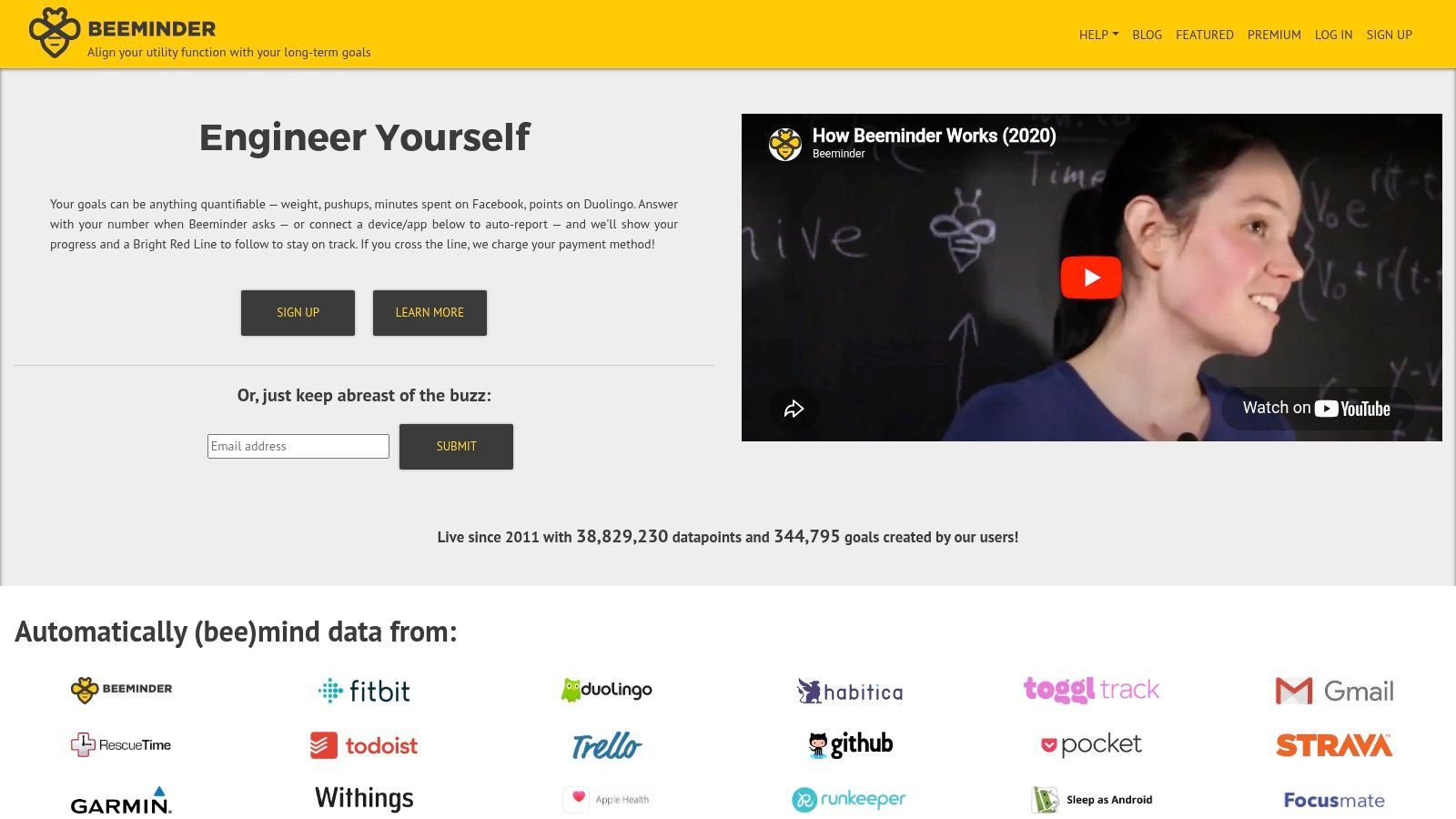
10. Beeminder
Beeminder is what I reach for when a task keeps slipping because the deadline feels abstract. It turns intention into a contract. You set a measurable target, connect the data source if you want, and pay money if you fall off the line.
For founders with ADHD, that can work surprisingly well, but only in a narrow use case. Beeminder is not a general productivity app. It is a pressure tool. In this toolkit, it fits under Dopamine Engineering because it creates consequence on purpose when your brain has stopped treating future costs as real.
Best for external stakes when self-trust is low
Beeminder works best after you’ve already figured out what matters and where you’re breaking the chain. Then it adds teeth.
Good founder use cases are specific and hard to wiggle around:
- Ship one newsletter each week: Track published sends, not vague writing time.
- Log five outbound sales touches per weekday: Useful when avoidance hides inside “prep.”
- Hit a minimum number of focused work blocks: Better than trying to punish yourself for every distraction.
- Maintain a simple admin floor: A few recurring tasks, handled consistently, instead of a giant cleanup day.
The upside is clarity. The road line makes the commitment visible. The money makes procrastination expensive enough to notice. Integrations help if you want proof from real behavior instead of self-reports.
The downside matters just as much. If you already operate from guilt, Beeminder can push you into a stress loop. I’ve seen it work best with small, boring commitments that protect momentum. It works worst when founders attach it to ambitious identity goals and then start negotiating with themselves all week.
Research on app-based procrastination interventions points in the same direction. A 2018 randomized controlled trial on the MT-PRO smartphone app found reduced procrastination severity after a blended intervention, with gains still present at one-month follow-up. The lesson is not that every accountability app helps. The lesson is that the intervention has to match the person and the behavior.
My practical rule is simple. Use Beeminder to enforce the minimum effective action, not the whole plan.
That makes it part of your Cognitive Architecture too. The app holds the line when your working memory, urgency calibration, and mood are unreliable. If the price creates clean action, keep it. If it creates dread, remove it fast.
Top 10 Procrastination Apps: Feature Comparison
| Tool | Core focus & key features ✨ | UX & effectiveness ★ | Value & pricing 💰 | Best for 👥 | Standout strength 🏆 |
|---|---|---|---|---|---|
| Freedom | Cross‑device blocker, recurring schedules, Locked Mode | ★★★★ Reliable external “focus fences”; needs tuning | 💰 Subscription; strong multi‑device value | 👥 Multi‑device founders who need routine | 🏆 Synced, recurring focus routines |
| Cold Turkey Blocker | Desktop hard blocker, reboot‑proof locks, local storage | ★★★★ Extremely hard to bypass; can be blunt | 💰 One‑time purchase or pro; great desktop ROI | 👥 Desktop users who need uncompromising blocks | 🏆 Toughest desktop deterrent |
| one sec | App‑open pause prompt; configurable micro‑interventions | ★★★ Lightweight, low friction; relies on follow‑through | 💰 Free (1 app); Pro unlocks multiple targets | 👥 People breaking “quick‑check” impulses | 🏆 Interrupts impulsive app opens |
| Focusmate | Virtual coworking, timed sessions, live partners | ★★★★ Social accountability; webcam required; variable partners | 💰 Affordable subscription; 3 free sessions/week | 👥 Those who benefit from body‑doubling | 🏆 Human commitment to start tasks |
| Habitica | RPG‑style tasks, dailies, parties & quests | ★★★ Fun, motivating for some; penalty mechanics may deter | 💰 Core features free; optional paid perks | 👥 Gamified motivators and social players | 🏆 Strong gamification for habits |
| Forest | Plant‑a‑tree timers, session stats, social mode | ★★★ Visual and simple; gentle nudge (not a block) | 💰 Low‑cost app; optional purchases/partnerships | 👥 Short‑sprint starters and phone discipline | 🏆 Visual habit formation via trees |
| Sunsama | Time‑boxed daily planner, integrations, end‑of‑day review | ★★★★ Encourages realistic pacing; opinionated flow | 💰 Premium subscription; built for deliberate planning | 👥 Founders needing capacity‑aware days | 🏆 Time‑boxed, realistic daily orchestration |
| TickTick | Task manager + Pomodoro, habit chains, calendar sync | ★★★★ Fast, cross‑platform all‑in‑one basics | 💰 Free + affordable premium; high value | 👥 Users wanting lightweight task+sprint combo | 🏆 Integrated Pomodoro & task workflows |
| RescueTime | Automatic time tracking, productivity scores, Focus Sessions | ★★★★ Data‑driven insights; desktop‑first; needs cleanup | 💰 Subscription; strong analytics ROI | 👥 Those who want measurable habit experiments | 🏆 Clear metrics to inform weekly reviews |
| Beeminder | Commitment contracts with monetary pledges & integrations | ★★★ Powerful external incentives; can be stressful | 💰 Subscription + pledge payments; pay‑to‑lose model | 👥 People who need financial consequences to avoid akrasia | 🏆 Externalized monetary commitment for follow‑through |
Beyond Apps Engineer Your Entire Founder OS
Apps for procrastination can help a lot. They can interrupt impulses, block escape routes, provide accountability, and make work easier to enter. But they don’t solve the whole founder problem on their own.
If you’re building a company with ADHD, productivity breaks down in layers. There’s task initiation. There’s emotional avoidance. There’s context switching. There’s the constant tax of deciding what matters. And then there’s the big one founders often miss. You may be doing work your brain should never be doing in the first place.
That’s why I separate tools into Cognitive Architecture and Dopamine Engineering. Cognitive Architecture handles the external scaffolding. Calendars that force realism. Blockers that remove negotiation. Time tracking that shows what transpired. Body doubling that gets a hard task moving. Dopamine Engineering handles the motivational side. Game loops, short wins, visual progress, and carefully designed friction that stops quick-hit distractions from hijacking the day.
Both matter. Neither is enough by itself.
A lot of mainstream tools still miss ADHD-specific needs. The broader app market is growing, but growth doesn’t equal fit. For neurodivergent founders, the key question isn’t “Which app is best?” It’s “Which failure mode am I designing against?” If you know that, picking tools gets easier.
Use Freedom or Cold Turkey if your issue is access. Use one sec if the problem starts with impulsive checking. Use Focusmate if your brain needs another human in the room to begin. Use Sunsama or TickTick if your day collapses under too many open loops. Use RescueTime if you need evidence before you redesign the system. Use Habitica or Forest if motivation improves when work feels more alive. Use Beeminder only if consequences energize you more than they stress you out.
Then go one level deeper.
If a task keeps getting postponed, ask whether it needs a better app or a different owner. Strategic delegation is part of productivity. So is bio-optimization. Sleep, nutrition, and movement aren’t wellness extras for founders with ADHD. They’re operating conditions. If your brain is under-recovered, underfed, or overstimulated, even the best apps for procrastination will feel weaker than they should.
The goal isn’t becoming a perfectly optimized machine. That’s just hustle culture wearing a lab coat. The goal is building a founder OS that makes important work easier to start, easier to sustain, and less dependent on crisis.
When that happens, procrastination stops feeling like proof that you’re broken. It becomes what it should’ve been all along. A signal that the system needs redesign.
If this hit uncomfortably close to home, Jan Kutschera is the person to learn from. He helps founders with ADHD replace burnout-driven hustle with engineered operating systems built for their wiring, using Cognitive Architecture, Dopamine Engineering, Strategic Delegation, and Bio-Optimization. If you’ve built success through panic productivity and want a calmer system that still performs, his work is worth your attention.
Crafted with the Outrank app
Jan Kutschera
German founder, diagnosed with ADHD at 51. Built 4 agencies, now building systems for neurodivergent entrepreneurs. German engineering for the ADHD brain.
Connect on LinkedInFrequently Asked Questions
What are the best apps for ADHD procrastination?
The best apps for ADHD procrastination reduce friction before starting (like one-tap timers) or increase friction before distraction (like website blockers). Tools like Focusmate, Forest, and Cold Turkey work well because they externalize structure instead of relying on willpower.
Do procrastination apps actually work for ADHD brains?
Yes, but only if they address the root cause: low dopamine at task initiation. Apps that pair tasks with social accountability (Focusmate), visible progress (Forest), or immediate rewards tend to work better than simple to-do lists or reminder apps.
Is Freedom or Cold Turkey better for ADHD?
Cold Turkey is better for hard blocks when you need to be locked out of distractions entirely. Freedom is better for scheduled, recurring blocks throughout the day. Many ADHD founders use both: Cold Turkey for deep work sessions, Freedom for ambient distraction management.
What is the best free procrastination app for ADHD?
Forest (free tier) and the built-in Focus Mode on iOS/Android are the best free options. They provide enough structure to reduce task-switching without requiring a paid subscription. Focusmate also offers a free tier with limited sessions per week.
Related Articles

ADHD Task Initiation: Why You Can't Start (And How to Fix It)
ADHD task initiation failure isn't laziness. It's a neurological block that hits founders hardest. Here's what causes it and how to break through it.

ADHD Perfectionism: Why Founders Struggle to Launch
ADHD perfectionism isn't about high standards. It's avoidance disguised as quality control. Here's why founders never ship and what to do about it.

Hyperfocus vs. Procrastination: The ADHD Contradiction Nobody Talks About
Why you can game for 12 hours but can't do 5 minutes of spreadsheets. The truth about ADHD, dopamine, and the myth of laziness.