ADHD-Friendly: Build A Multiple Timer App System
Beat panic productivity. Use a multiple timer app for an ADHD-friendly system. Covers setup, workflows, and real-world use.
Jan Kutschera
You’ve probably got twelve tabs open, Slack chirping, one half-written investor update, a proposal you meant to send yesterday, and a vague sense that you’re “working hard” while somehow also avoiding the one thing that matters. That isn’t laziness. It’s an ADHD founder brain trying to run a company on raw memory, adrenaline, and guilt.
A multiple timer app fixes a problem most productivity advice doesn’t even name. You’re not just bad at estimating time. You’re missing an external structure that keeps work visible, sequenced, and recoverable when attention gets yanked sideways. One timer for one task is cute. Founders don’t live in one task.
The shift that finally worked for me was simple. Stop treating timers like a little focus accessory. Start treating them like infrastructure.
Table of Contents
- Your Brain on Too Many Tabs Is Not a Strategy
- How to Choose Your Digital Time Warden
- The Core Setup for Sustainable Dopamine
- Advanced Workflows for Agency Founders and CEOs
- Sustaining Momentum When Your Brain Rebels
- Trade Panic Productivity for Compounding Clarity
Your Brain on Too Many Tabs Is Not a Strategy
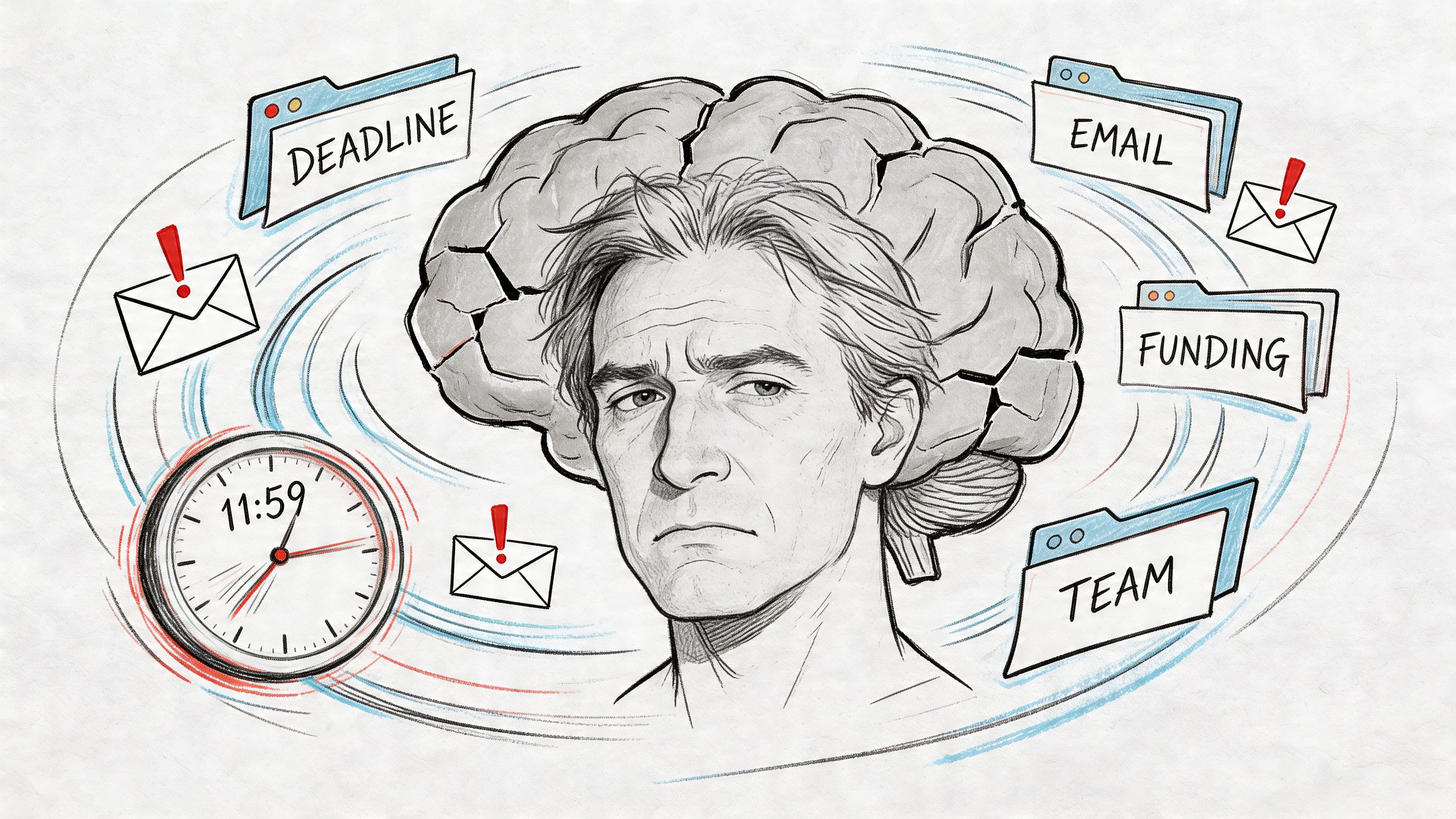
The default founder setup looks productive from the outside. Browser full. Calendar full. Brain full. Nothing finished. You bounce from email to deck to client message to random admin task, then tell yourself you’ll “lock in” after lunch.
That’s not a strategy. That’s a nervous system improvising.
Most productivity content about a multiple timer app is still stuck in kindergarten mode. Cook pasta. Study for exams. Do a Pomodoro. The gap is obvious. MultiTimer’s own ecosystem reflects how generic this category still is, while searches still turn up basically no nuanced guidance for ADHD founders trying to replace panic productivity with something engineered.
Why one timer usually fails
A single timer assumes the problem is distraction. For founders with ADHD, the bigger problem is time invisibility. You don’t just get distracted. You lose the shape of the workday.
One timer can tell you when a sprint ends. It can’t hold the rest of the operating system together while you’re juggling:
- Deep work that needs protection
- Admin sludge that needs containment
- Delegation follow-ups that can’t rely on memory
- Movement and food breaks that your brain treats as optional until you crash
A founder brain often needs parallel scaffolding. Not because you’re weak. Because the business is fragmented by default.
You don’t need better discipline. You need fewer decisions at the moment your attention is already under attack.
Cognitive Architecture beats willpower
The useful frame here is Cognitive Architecture. That means building external structures that carry what your working memory keeps dropping. A multiple timer app becomes part of that structure. It turns invisible obligations into visible countdowns, repeatable patterns, and hard stops.
That matters because ADHD time management advice usually tells you to “be intentional.” Fine. But intentionality collapses fast when your inbox detonates or a client pings you during a focus block.
A timer system does something better than motivation. It creates boundaries your future distracted self can still understand.
Panic feels productive because it is loud
Panic productivity is seductive. It creates urgency. Urgency creates temporary focus. Temporary focus gets mistaken for a personality trait. Then you build a company around crisis chemistry and wonder why you’re exhausted.
A well-built multiple timer app system is the opposite. It’s quieter. Less sexy. More reliable.
And reliable beats intense every time.
How to Choose Your Digital Time Warden
Don’t choose a timer app because it looks sleek or has nice gradients. Choose it like you’d hire an operations lead. It needs to remember things you won’t, nag you without becoming wallpaper, and survive device switching when your brain decides the laptop is poison and the phone is suddenly the answer.
Pick for memory, not vibes
The feature that matters most for ADHD founders is history. Not because data is cute. Because memory lies.
The delisted Stopwatch with History app by Y.Y.studio reached 220 thousand downloads and held a 4.06 out of 5 rating based on 230 reviews before it disappeared, according to its AppBrain listing. That matters for one reason. People wanted timer data they could review later, not just a beep in the moment.
If you deal with time blindness, history turns “I think I spent all day on sales” into “Nope, I spent the day bouncing between Slack, invoicing, and two fake emergencies.”
What to prioritize:
- History tracking: You need a record of what happened.
- Multiple concurrent timers: Founder work is layered, not linear.
- Quick access: If starting a timer takes too many taps, you won’t use it.
- Export options: If your data can’t leave the app, it can’t inform real decisions.
- Cross-device continuity: Hyperfocus doesn’t respect device loyalty.
Choose alerts you’ll obey
A timer notification isn’t useful because it exists. It’s useful if your nervous system still notices it after hearing it all week.
Generic alerts become furniture fast. You stop hearing them. That’s why customization matters. Different sounds for different contexts help separate “wrap the call,” “get up and move,” and “send the handoff.” A multiple timer app that lets you build distinct boards and alert styles is doing executive-function work for you.
If you want a broader stack around attention friction, this breakdown of apps for procrastination-prone founders pairs well with a timer-first system.
ADHD-Friendly Multiple Timer App Feature Showdown
| Feature | Why It Matters for ADHD | App A (e.g., MultiTimer) | App B (e.g., Timeglass) | App C (e.g., generic) |
|---|---|---|---|---|
| Multiple simultaneous timers | Holds parallel responsibilities without mental juggling | Strong fit | Varies | Often limited |
| Board-based organization | Groups tasks by mode instead of dumping everything in one screen | Strong fit | Varies | Usually weak |
| History tracking | Lets you audit reality instead of trusting memory | Strong fit | Unclear by app/version | Often shallow |
| Export capability | Turns timer logs into something you can review and use | Strong fit | Varies | Often missing |
| Custom alerts | Helps prevent notification blindness | Strong fit | Varies | Basic |
| Cross-device sync | Prevents your system from breaking mid-day | Available in supported setups | Varies | Often weak |
| Ease of starting timers | Low friction decides adoption | Good | Varies | Inconsistent |
A few blunt recommendations:
- If you want a system, pick board-based apps. Founder work needs modes, not a pile of timers.
- If you care about delegation and audits, pick history and export first. Pretty design comes second.
- If the free version feels cramped, don’t force it. Constraint is useful until it becomes avoidance fuel.
A multiple timer app should reduce cognitive load. If managing the app becomes its own task, delete it and move on.
The Core Setup for Sustainable Dopamine
Most ADHD productivity systems fail for one boring reason. They expect you to manually restart motivation every time your brain slips. That’s too much friction. You need the app to carry more of the loop.
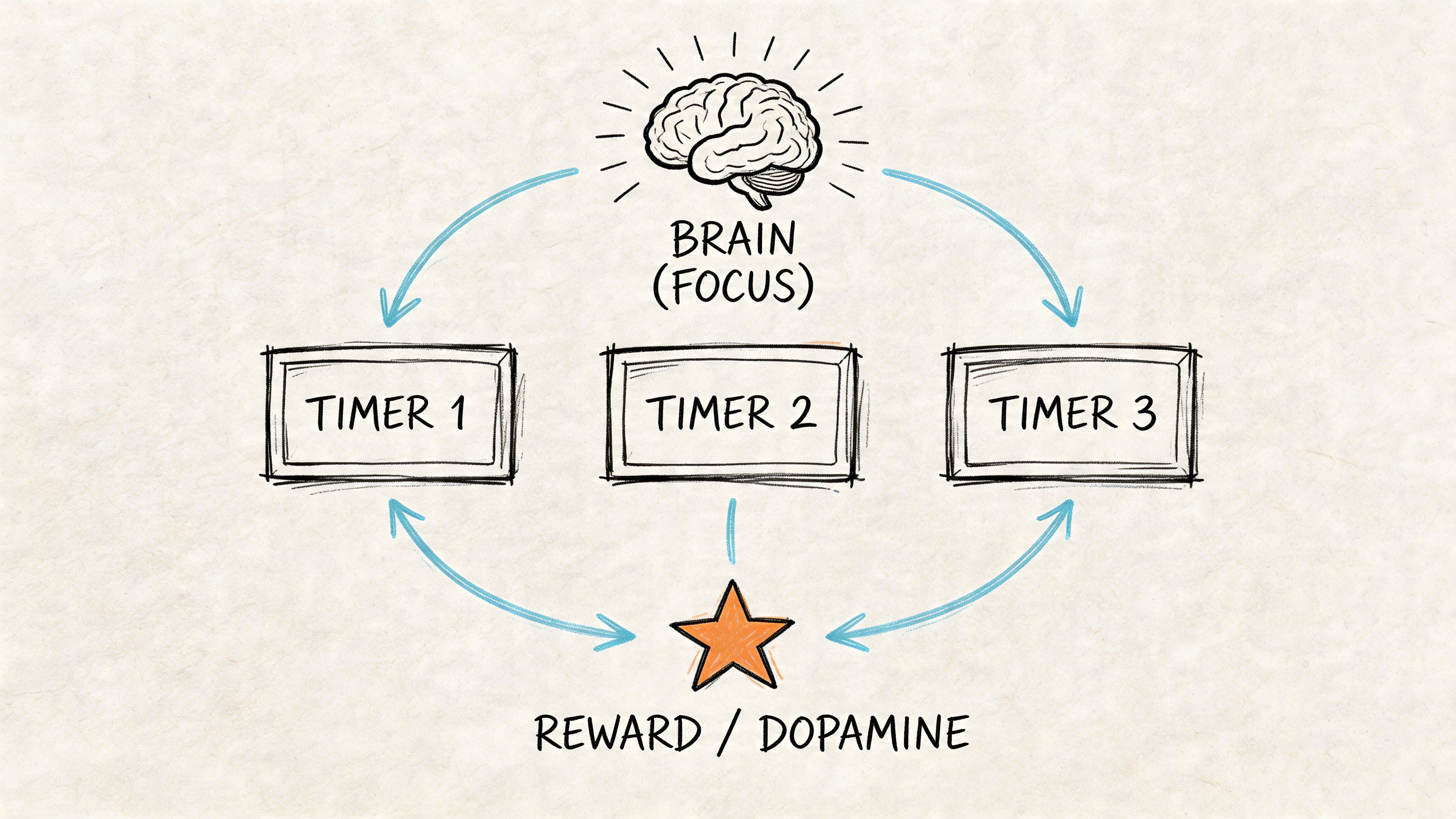
Apps like MultiTimer support a more useful approach. Their timer boards, repeat settings, commands, sync options, widgets, and shortcuts make it possible to build Dopamine Engineering into the setup itself. The key claim worth paying attention to is that this board-based approach has shown 80-90% adherence in founder trials, compared with 40% for single-timer apps, as described in the MultiTimer App Store materials. That gap makes sense. The system bypasses time blindness instead of arguing with it.
Build boards, not one-off timers
A board is a mode. That’s the mindset shift.
Don’t create random timers named after random tasks. Build a small set of boards that match how you operate:
-
Deep Focus board
Use this for strategy, writing, proposal work, and any task that punishes context switching. Put one main countdown on it and one short break timer. -
Admin Blitz board
This is for invoices, approvals, inbox cleanup, CRM updates, and all the sludge you’ll otherwise let sprawl across the day. -
Delegation board
Use timers for follow-up windows, handoff reminders, and waiting periods after you assign work so you don’t instantly take it back. -
Bio board
Movement, hydration, lunch, eye break, medication, whatever keeps your brain from becoming an overheated server.
If you’ve been trying to force your whole day through one focus timer, that’s the bug.
Configure the reward loop
A multiple timer app gets powerful when timers trigger behavior chains, not isolated sessions.
Set it up like this:
- Main sprint timer: Your work block
- Break timer: Starts right after the sprint
- Auto-repeat if available: Removes the need to decide whether to resume
- Distinct sounds: Reward tone for break. Firmer tone for return.
- Widget or shortcut access: So you can restart from the lock screen or home screen
That’s Dopamine Engineering in practice. The reward isn’t abstract. It’s built into the sequence.
Practical rule: If restarting the next work block requires motivation, the system is unfinished.
One useful companion approach is this 90-minute focus system for ADHD founders. Pair that thinking with timer boards and you get structure without handcuffs.
Start with one board
Don’t build a masterpiece on day one. Build one board you’ll use tomorrow.
A solid starter board looks like this:
- Primary work timer: For the main task you’ve been avoiding
- Micro-break timer: For a short reset
- Handoff timer: For sending the next message, update, or delegation note
- Recovery timer: For food, water, or movement so your body doesn’t vanish from the plan
Watch this in motion if you want a visual reset before configuring your own system:
Make the app harder to ignore than your excuses
This part is mechanical and it matters.
Put the widget somewhere visible. Use labels that tell the truth. “Deep Work” is fine. “Finish investor memo before opening Slack” is better. Name timers in a way that closes loopholes.
Also, don’t overbuild. Too many timers on one board becomes visual noise. The point is external structure, not a control panel that looks like an airplane cockpit.
When the setup is right, the app stops feeling like discipline. It starts feeling like traction.
Advanced Workflows for Agency Founders and CEOs
Once the core system works, stop using it only for solo focus. A multiple timer app becomes far more useful when it runs operational workflows that usually leak attention all over the company.
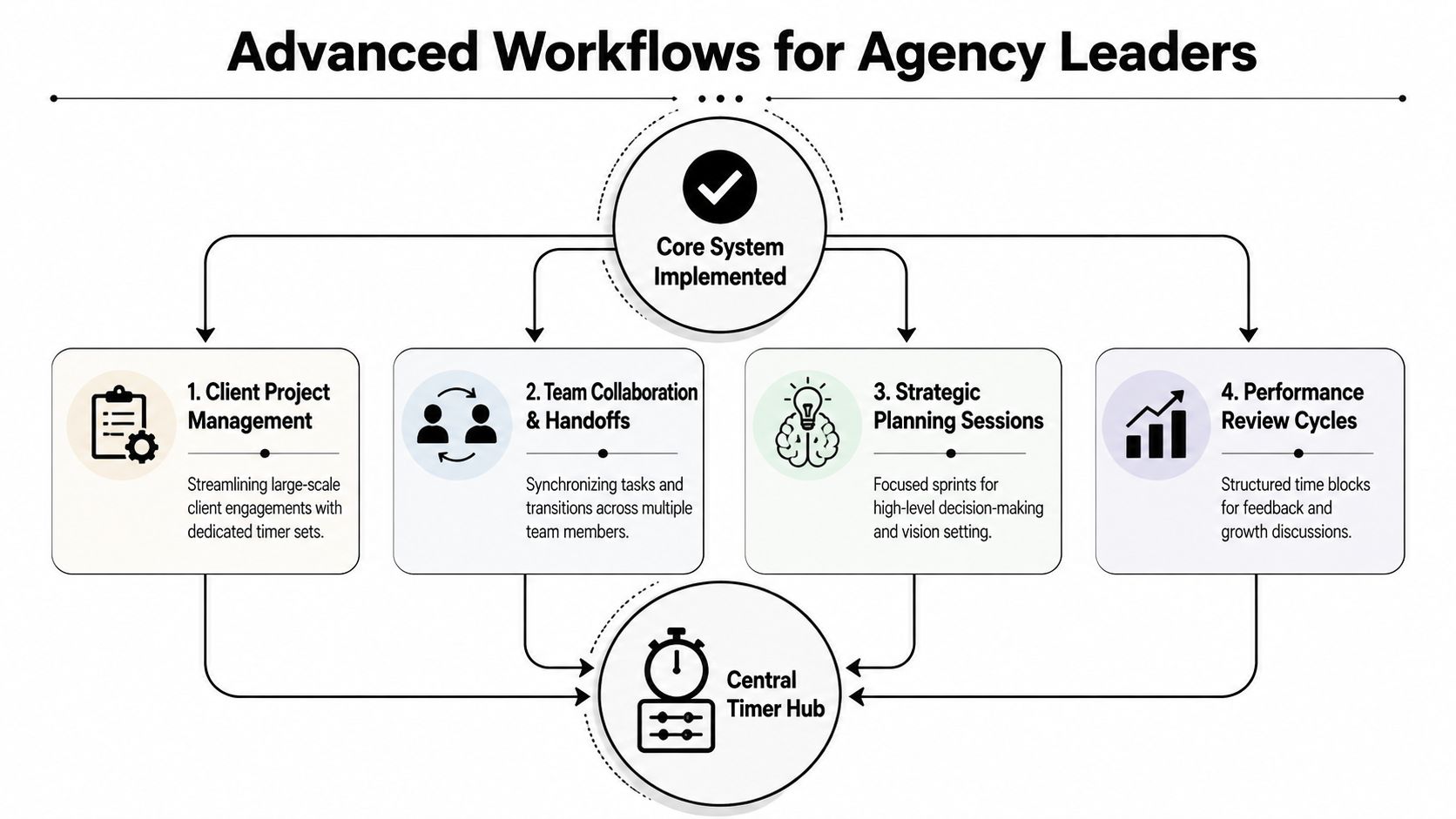
The client fire drill workflow
An agency founder gets ambushed by “urgent” client requests all the time. Most of them aren’t true emergencies. They become expensive because they hijack the whole day.
Use a dedicated board for this pattern:
- Response timer: Time-box the first assessment so you don’t disappear into reactive work
- Scope check timer: Separate diagnosis from delivery
- Follow-up timer: Force a clean next-step message before moving on
This works because urgency gets contained. You answer the fire without becoming the fire.
The team handoff workflow
Founders with ADHD often sabotage delegation by staying mentally attached to the task after assigning it. You delegate, then keep checking, rewriting, and hovering. That’s not leadership. That’s anxious multitasking.
A handoff board should include:
| Timer | Job |
|---|---|
| Assignment timer | Write and send the brief |
| Delay timer | Prevent instant re-checking |
| Review timer | Return at the agreed review point |
| Escalation timer | Decide whether to unblock, not reclaim |
The advantage of exportable history is evident. MultiTimer’s iOS feature set includes CSV export, and it logs data only after a timer is stopped, which creates a more reliable record of completed work sessions. That structure supports audits of timer operations, task statistics, and project analytics, as described in MultiTimer’s feature documentation.
That matters if you’re trying to answer real founder questions:
- Where did my week go?
- Which clients create chaos?
- Which tasks should never touch my plate again?
- Where am I still pretending delegation happened?
The timer log is not there to judge you. It’s there to stop your memory from running PR on your behalf.
The weekly audit workflow
Every founder says they want to work in their genius zone. Fine. Prove it.
At the end of the week, export the data and review it in a spreadsheet tool. Don’t overcomplicate the analysis. Look for categories, repeated interruptions, and mismatches between what you said mattered and what consumed the calendar.
Three review prompts are enough:
-
Which timers fired most often?
That usually reveals where the business keeps dragging you into repeatable operational junk. -
Which work blocks completed cleanly?
Those are clues about your best working conditions. -
Which boards became graveyards?
If a board never gets used, the issue is either friction or fantasy.
Strategic work needs timer protection too
CEOs often protect meetings and neglect thinking. Backwards move.
Use a board for planning sessions with separate timers for prep, synthesis, and decision output. If you don’t split those phases, strategy time turns into reading, wandering, and opening six more tabs.
A multiple timer app helps because high-level work still benefits from visible boundaries. The brain that built the company is usually the same brain most likely to drift when the task is ambiguous.
Sustaining Momentum When Your Brain Rebels
No system stays elegant once real life gets involved. Your app will glitch. Your routines will go stale. Your brain will suddenly decide that touching the timer feels offensive. That doesn’t mean the system failed. It means you’ve reached the part where maintenance matters.
When notifications betray you
This is the most annoying failure point, and it’s not in your head. Background notifications can get flaky, especially during prolonged use on iOS. User complaints have reported failure rates of up to 40% in those conditions, tied to aggressive battery optimization, according to the source material tied to the Windows MultiTimer listing discussion context.
If timer notifications are mission-critical, don’t act surprised when the operating system decides your carefully built rhythm is less important than battery management.
Do this instead:
- Test your important boards under real conditions: Locked phone, app closed, low-power mode off and on
- Use redundant cues for high-stakes timers: Sound plus vibration if your app supports it
- Reserve critical reminders for fewer, clearer alerts: Noise trains you to ignore the signal
- Review after a miss: Was it the app, the OS, or the board design?
When you stop using the system
The bigger threat usually isn’t tech. It’s boredom.
A timer setup that felt magical last month can start feeling like wallpaper. That’s when people abandon the whole thing and crawl back to chaos because chaos at least feels stimulating.
The fix is not moral effort. It’s reintroducing friction in the right places and removing it everywhere else.
Try this:
- Re-name stale boards: Fresh labels wake up attention
- Delete dead timers: Clutter kills trust
- Keep the first board of the day absurdly easy: If starting feels heavy, you’ll postpone the whole system
- Match rewards to reality: A break should feel like a reward, not a fake corporate wellness ritual
For a deeper behavior layer, this guide on an ADHD reward system for business momentum fits well with timer-based routines.
If the system only works when you feel motivated, you built a decoration, not an operating system.
Keep the system alive with less friction
Use rituals that are too small to argue with.
A simple one is to start the first timer before opening communication apps. That single move changes the order of the day. It says your attention has a plan before the world starts bidding for it.
Another is to review one board by day’s end, not all of them. You’re looking for quick calibration, not a self-improvement ceremony.
Also, keep one “re-entry” board for messy days. Low-intensity admin. One reset break. One follow-up timer. One body check. That board exists for the days when your brain is not interested in peak performance and still needs a runway back to functional.
Trade Panic Productivity for Compounding Clarity
The point of a multiple timer app isn’t to turn you into a robot with better alarms. It’s to give your brain a structure strong enough to hold ambition without demanding constant self-policing.
That’s the difference. You stop asking, “Why can’t I just try harder?” and start asking, “What system makes the right action easier than the wrong one?” That question changes everything.
A good setup does three jobs at once:
- It externalizes time, so work stops living only in your head.
- It engineers better reward loops, so motivation doesn’t rely on last-minute panic.
- It creates evidence, so you can delegate from reality instead of guilt or guesswork.
That’s what founders need. Not more hustle mythology. Not another minimalist timer app designed for people whose days contain one neat task at a time.
You need a visible operating system for a brain that’s brilliant, fast, nonlinear, and occasionally chaotic. That’s not a flaw to eliminate. It’s a pattern to support.
Start smaller than your ego wants. Build one board. Use it for one day. Track one kind of work you usually lose inside. If the board works, keep it. If it doesn’t, change the setup instead of blaming your brain.
Clarity compounds. So does confusion.
Pick which one you want to scale.
If you’re done white-knuckling your way through founder life, Jan Kutschera can help you build an operating system that fits your wiring instead of fighting it. He works with ADHD founders who want cleaner execution, steadier momentum, and less burnout-fueled chaos.
Enhanced by Outrank
Jan Kutschera
German founder, diagnosed with ADHD at 51. Built 4 agencies, now building systems for neurodivergent entrepreneurs. German engineering for the ADHD brain.
Connect on LinkedInRelated Articles
Planner Color Coding for the ADHD Brain
Ditch generic planner color coding. Learn an ADHD-friendly system for founders that boosts focus and dopamine without the overwhelm. Step-by-step guide.

10 ADHD Executive Function Strategies for Founders
Unlock founder-level focus with these 10 ADHD executive function strategies. Ditch the burnout hustle for engineered systems built for the neurodivergent brain.

Founder Focus: Master pomodoro technique adhd System
Pomodoro technique adhd - Ditch generic advice! This neuroscience-backed system applies the pomodoro technique adhd for founders to engineer focus, manage