Visual Timer App Guide for ADHD Founders
A visual timer app can externalize time for ADHD founders. Learn features, privacy checks, and workflows that reduce panic productivity.
Jan Kutschera
A shrinking circle doesn’t fix time blindness, and calling it an ADHD productivity cure turns a useful tool into productivity theater. A visual timer app can make elapsed time easier to perceive and help mark a transition. That’s different from making you finish faster, bring in more revenue, or run your business without friction.
For founders, that distinction matters. A timer can support awareness and steadier behavior, but it can also become another source of pressure or distraction. The useful question isn’t whether a countdown works for everyone. It’s whether a particular display, interval, and alert style helps you do a particular kind of work.
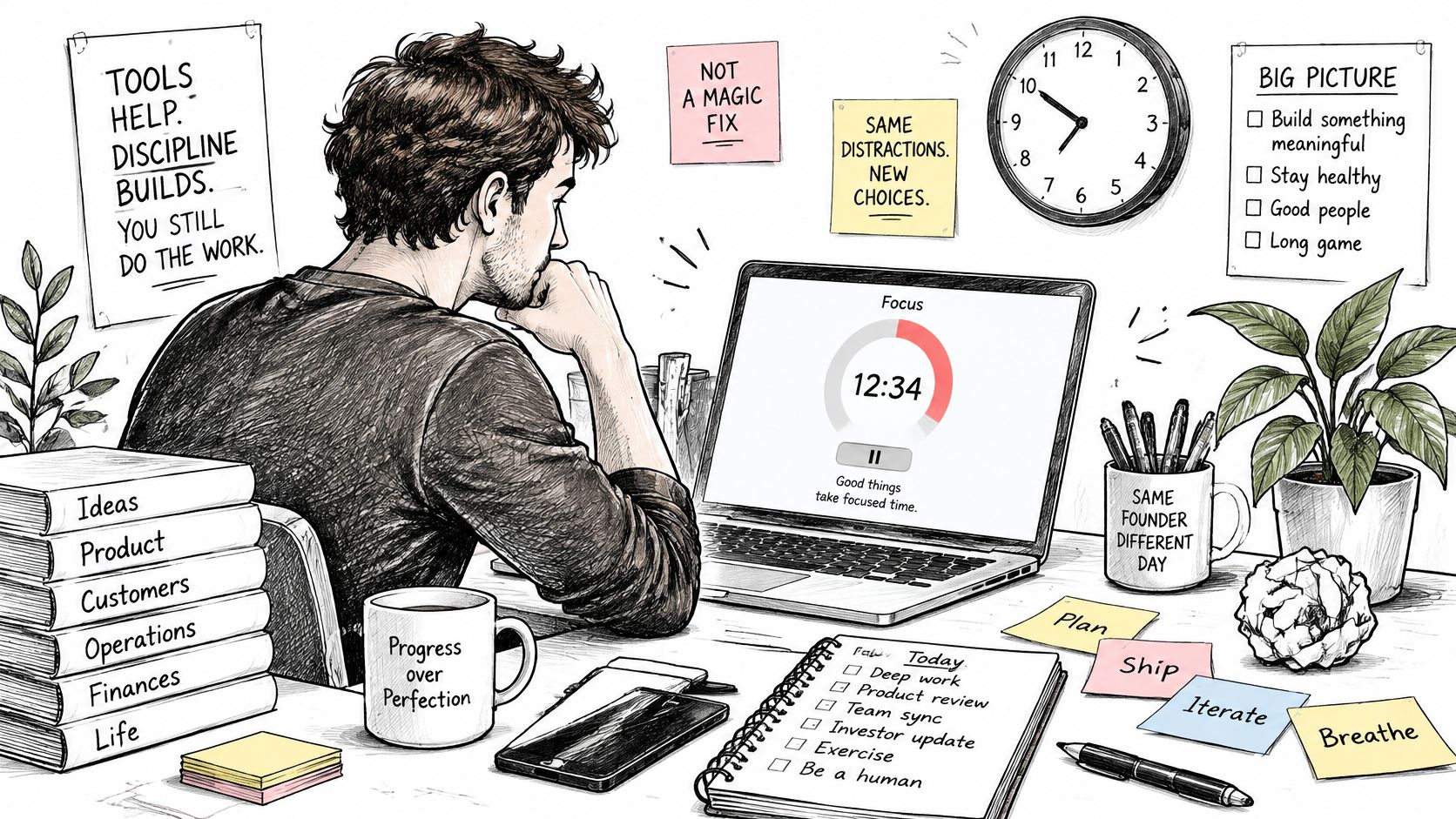
Table of Contents
- Why a Visual Timer App Is Not a Magic Fix
- How Time Blindness Shows Up in a Founder’s Day
- What the Research Actually Shows About Visual Timers
- Critical Features to Check Before You Commit
- Comparing Visual Timer Options for ADHD Founders
- Setting Up a Visual Timer Workflow That Sticks
- Privacy and Integration Questions Founders Should Ask
- Testing Whether a Visual Timer Helps or Adds Pressure
Why a Visual Timer App Is Not a Magic Fix
The strongest case for a visual timer app is modest and practical: it can externalize time. Instead of relying on your working memory to keep a deadline active, you can glance at a visible countdown and see time passing. For someone with ADHD, that cue may help orient attention or make a transition less abrupt. It doesn’t guarantee that the task will get done.
The distinction is easy to lose in productivity marketing. “Time awareness” becomes “better focus,” which becomes “more output,” and somehow the shrinking circle ends up credited with business growth. Those are different claims. Research on children supports reduced anticipatory anxiety and fewer off-task behaviors in a specific timed task, but it doesn’t establish that a timer improves revenue, completion rates, or founder performance.
Practical rule: Treat the timer as a cue to notice time, not a promise that time will behave.
That framing changes how you evaluate the tool. If the display helps you start a work block without repeatedly checking the clock, that’s useful. If it makes you watch the countdown anxiously, or pulls your attention away from the task every few minutes, it may be the wrong setup. The same app can help during a transition and irritate you during deep work.
A timer also can’t decide what deserves your attention, make an unclear task concrete, or compensate for a workload that exceeds your capacity. It’s one piece of an operating system, not the operating system itself. The founder’s job is to test where it adds orientation and where it adds noise, rather than assuming that more visible time automatically means more productive time.
How Time Blindness Shows Up in a Founder’s Day
You schedule a task for thirty minutes: review a proposal, write a client brief, or make a decision about a hire. You open the document, notice a gap in the numbers, check a related file, and follow the thread until the morning has been swallowed by work you didn’t plan. Then a deadline arrives sooner than expected, and urgency takes over.
Adult ADHD can affect several parts of time perception. Prospective time estimation is judging how long a future task will take. Time reproduction is trying to recreate a duration you’ve experienced before. Time production is estimating or producing a span without a visible reference. Duration discrimination is noticing whether one interval is longer or shorter than another. In everyday work, those difficulties can turn planning into guesswork.
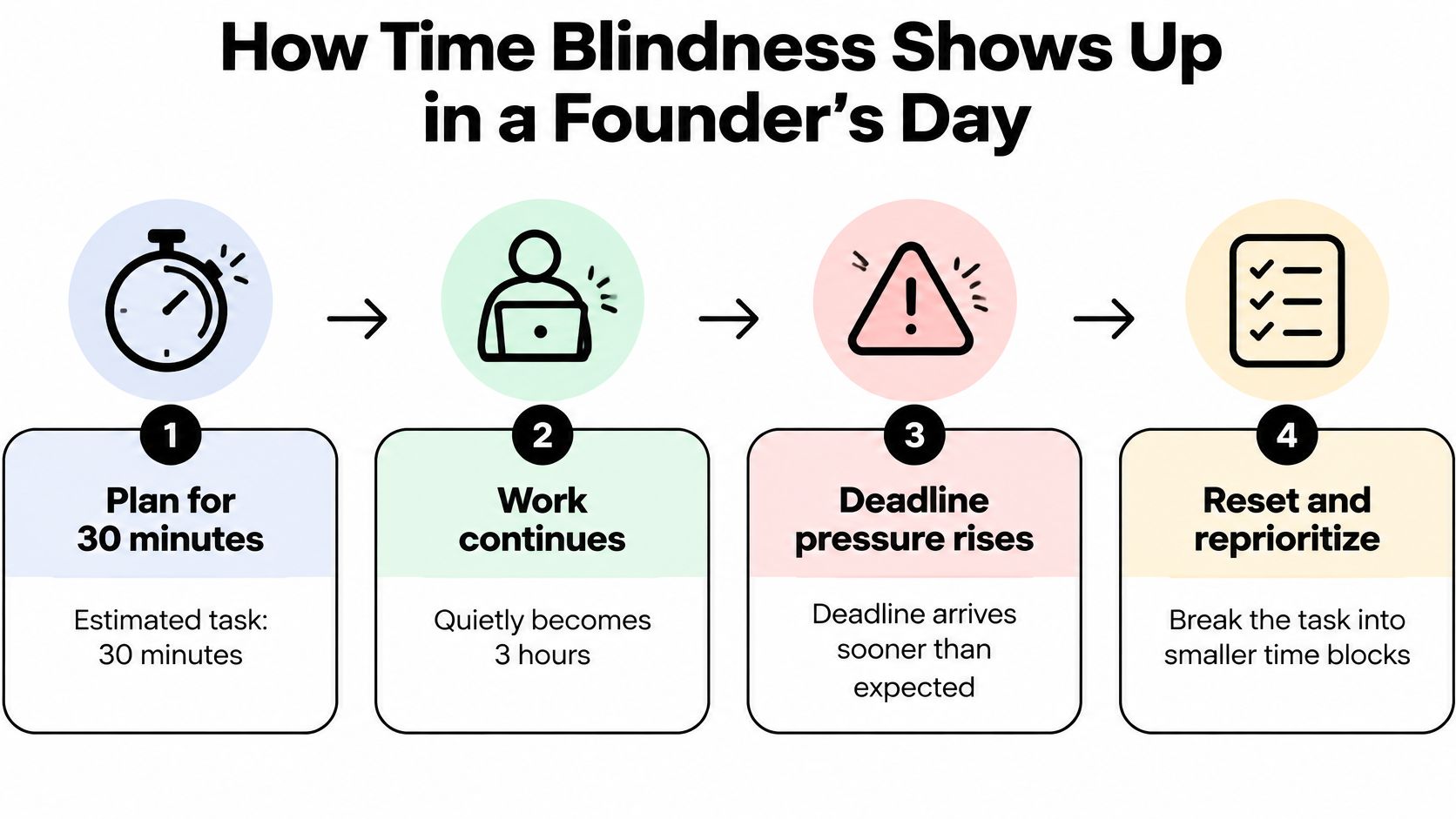
A visible timer gives the duration an external form. A shrinking shape, changing number, or progress bar stays available without asking you to hold the deadline in working memory. For a more detailed explanation of how this pattern can affect planning and transitions, see this guide to ADHD and time blindness.
For the timer to serve that role, set it before the task starts, keep it somewhere you can see without interrupting your work, and decide what happens when it ends. An alert can mark the point to stop, capture the next action, or deliberately continue. Without that plan, the timer can count down while you stay absorbed in the task.
The countdown isn’t a diagnostic tool or a standalone treatment. It’s an external cue that may help with prospective work blocks and transitions. This video offers another perspective on using time structure in everyday work.
What the Research Actually Shows About Visual Timers
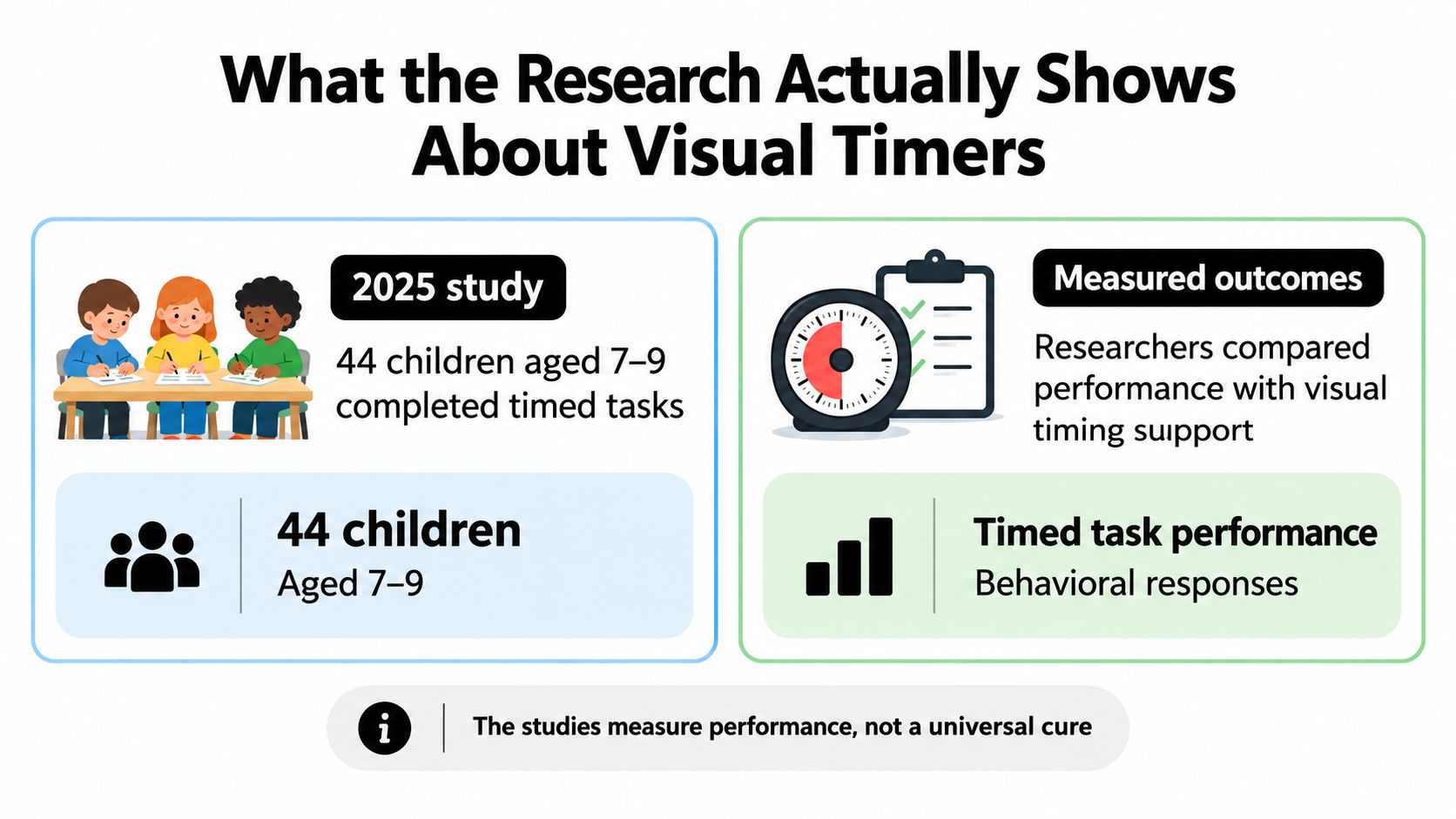
Strip away the product marketing and the evidence shrinks to a narrow band. A study published in 2025 ran children through a timed mathematics assessment, once with a visible Time Timer on the desk and once without. Anticipatory anxiety before the task dropped, and the researchers recorded fewer inattentive and motor-instability behaviors while the children worked. Mathematics scores did not significantly differ between the two conditions. A visible timer helped with awareness and behavior during a timed activity, and the data stopped there. Read the study of visual timing during children’s mathematics work.
The more interesting detail is how unevenly the children used the display. Some glanced at it constantly while others never looked at all, and the reduction in off-task behavior concentrated among children rated as higher ADHD risk. That spread is the finding a founder should carry forward: treat timer visibility as a variable to test against your own task types.
A European Union accessibility pilot tested something closer to a full routine system: a mobile app combining visual planning, a Pomodoro timer, progress tracking, and rewards. A small group of adolescents and young adults used it in daily life, and feedback on usability, benefits, and motivation was positive. The visual timer drew specific praise for building time awareness.
Their requests were more instructive than the praise: alerts that kept working after they left the app, links to other digital tools, and a wider set of reward options. Explore the EU pilot on a mobile app supporting daily routines.
Neither study says much about adults running companies, and neither claims a timer increases completed work, delegation, or revenue. What the evidence supports is narrower: less dread before a timed task and less drifting during it, for some people, some of the time. If the task itself feels too big to begin, shrinking the first step matters more than adding a display, and a short guide on breaking homework research into smaller steps applies that principle to research work. Judge a timer by whether it improves your awareness and transitions. Expecting it to raise output asks more of it than the research gives.
Critical Features to Check Before You Commit
A timer’s display should suit how you notice information. Some people prefer a shrinking shape; others find a clear numerical countdown easier to use. Since monitoring varied in the children’s study, don’t assume that a continuously visible countdown is the right choice. Try a view you can glance at without repeatedly checking it.
Interval control matters because a useful block depends on the task. A short admin task, a writing session, and a client call don’t necessarily need the same duration. Choose an app that lets you set a block deliberately instead of forcing every task into one preset rhythm.
Check how alerts behave. Can you silence sound during the block and still get an end cue? Does the alert work when you’ve moved to another app? In the EU pilot, participants asked for audio alerts outside the app, a reminder that a countdown can be visible but still fail to mark a transition when you’re working elsewhere.
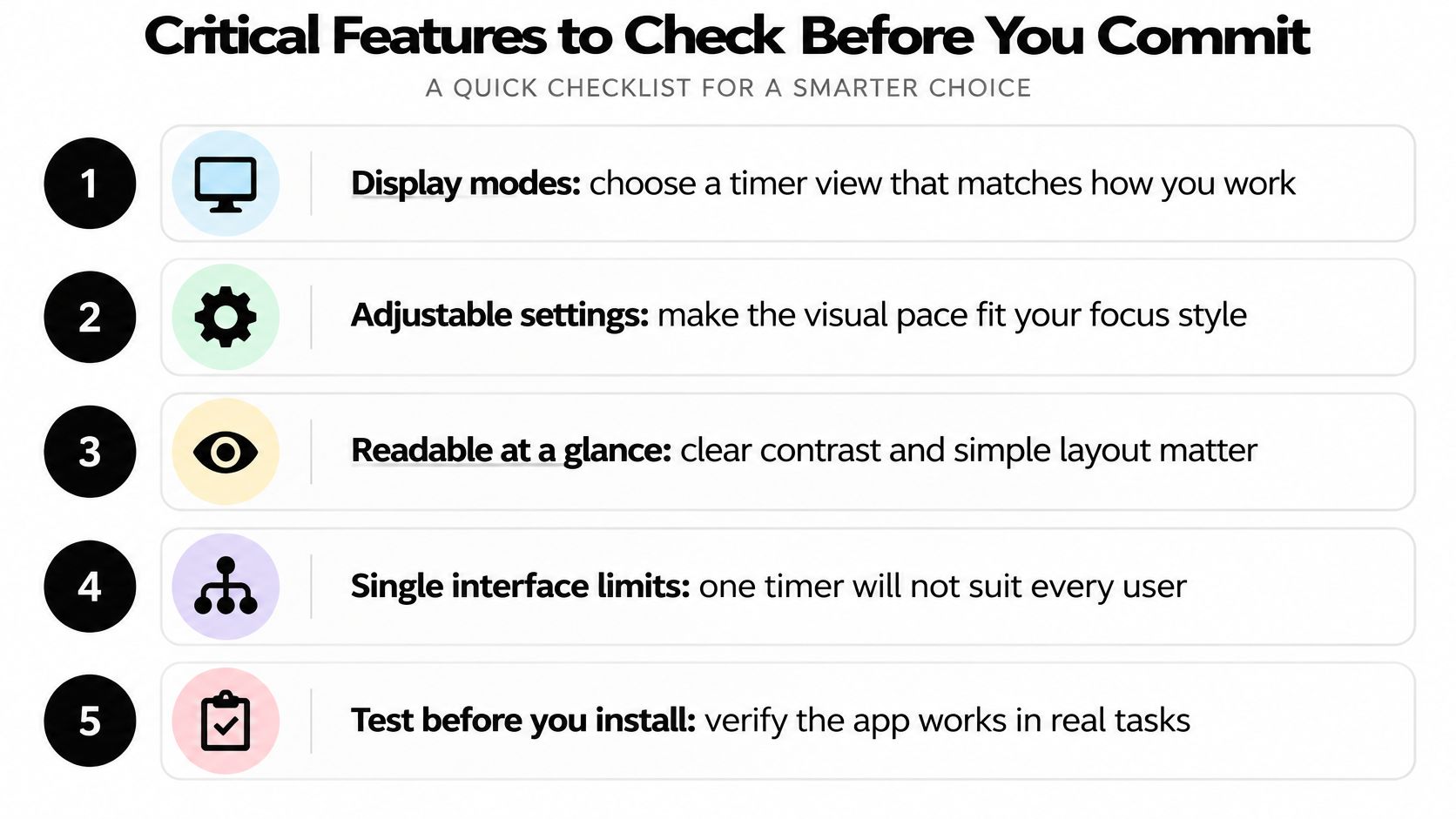
Before you commit, check whether the app can support the whole work sequence, not just the countdown:
- Display options: Can you choose a visual or numerical view that feels orienting rather than intrusive?
- Adjustable intervals: Can you set blocks to match the task instead of adapting every task to a fixed timer?
- End alerts: Can you choose a silent, visual, or audio cue, including when the app isn’t in the foreground?
- Task sequence and progress: Can you see what comes next and whether you’ve moved through the planned work?
- Rewards: Does the app offer a reinforcement approach that helps you return, without turning every task into a points game?
A longer feature list isn’t automatically better. Verify the features you’ll use during a real workday, and leave the rest alone.
Comparing Visual Timer Options for ADHD Founders
The right category depends on what you need the timer to do. A standalone device keeps the countdown separate from your phone, which can reduce the temptation to wander into messages. It’s easy to see and operate, but doesn’t naturally manage task sequences or sync with a calendar. A single-purpose app is flexible and convenient, though opening it on a phone can put distracting apps within reach.
A routine or task-management system can combine the timer with task order, progress, and other cues. That broader structure may be useful if you need help moving between tasks, but it can also mean more setup and more data sharing. The EU pilot’s approach paired a timer with routines and progress tracking, rather than treating the countdown as a complete solution. Those features may suit some workflows, but they won’t suit every founder.
| Option type | Persistent visibility | Configurable intervals | Alert behavior | Task sequencing | Reward mechanisms | Integration |
|---|---|---|---|---|---|---|
| Standalone countdown device | Visible on the desk | Set directly on the device | Usually simple, depending on device | Usually separate | Usually none | No digital sync |
| Single-purpose timer app | Visible when the app or widget is available | Often adjustable | Depends on app and device settings | Limited or external | Usually limited | Varies by app |
| Routine or task-management system | Depends on layout and device | Often part of a workflow | May include app notifications | Can connect countdowns to tasks | May include rewards | May connect to other tools |
Jan Kutschera’s Cognitive Architecture frames a timer as one external structure that can reduce reliance on fragile executive functions. Dopamine Engineering adds the question of what makes a helpful routine rewarding enough to repeat. Those ideas point away from shopping for the most elaborate app and toward choosing the smallest tool that supports your actual working pattern.
If you’re comparing broader software rather than timer types alone, this guide to time management apps for ADHD can help you evaluate the surrounding workflow. Decide whether you need a visible cue, an ordered routine, or both, then choose accordingly.
Setting Up a Visual Timer Workflow That Sticks
A timer workflow should take less effort to run than to avoid. Start by choosing one recurring task where time awareness tends to slip: drafting, inbox work, or preparing for a client meeting. Pick an interval that feels usable for that task, rather than adopting a popular work-rest formula on faith.
Next, put the timer where you can see it with minimal interruption. On a computer, that might mean a small window near your work rather than a full-screen countdown. On a phone, a widget or dedicated device may be more useful than repeatedly checking the screen. If the countdown makes you monitor time instead of doing the task, reduce its prominence or try a different display.
Now decide what the end signal means. It might cue you to save your work and write down the next action, take a break, or move to the next item on a short sequence. A countdown without a transition plan can leave you with the same open loop and a new decision to make.
Working rule: The timer marks a boundary. Your task list tells you what to do on either side of it.
Test alert intensity against the kind of work you’re doing. A quiet visual cue may be enough when you’re writing; an audible alert may be useful when you’re away from the screen. If the alert startles you or breaks concentration, turn it down. If the end passes unnoticed, move the timer, choose a clearer signal, or link the alert to a deliberate closing action.
Keep the setup consistent enough that you don’t need to rebuild it each morning. A simple sequence might be: choose the next task, set the timer, work, capture the next step when it ends, then decide whether to continue or switch. For a broader structure around recurring work, see ADHD and routines. The goal isn’t to make every day identical. It’s to remove avoidable decisions from getting started and changing direction.
Privacy and Integration Questions Founders Should Ask
A timer can be simple, or it can collect details about your work. Before installing one, check what it stores: task names, time spent, completion history, or notification activity. Find out whether that information stays on your device, syncs to an account, or is shared with other services. If the app requires an account, ask whether you can use its core timer without giving it more information than necessary.
Then consider integration. Linking a timer to your calendar or task manager may reduce manual setup, but it also gives the app a broader view of your schedule. The EU pilot’s participants asked for connections to other digital tools, which illustrates the appeal of integration. For a founder, the trade-off is convenience against data exposure and the extra complexity of maintaining another connected service.
Before granting calendar or team-workspace access, ask:
- What does the app need to read? Check whether access can be limited to the information required for your workflow.
- Where does the data go? Review the app’s privacy policy and sync settings.
- Can you use it locally? A standalone timer may be enough if all you need is a visible countdown.
- Who else can see activity? Make sure personal time tracking doesn’t become workplace surveillance.
Choose the lightest setup that solves the problem. A founder who only needs a visible cue may not need an account, shared dashboard, or team integration.
Testing Whether a Visual Timer Helps or Adds Pressure
Try a simple self-test during the workweek. Choose a recurring task and use the timer consistently, then pay attention to three things: whether you check the clock less, whether the transition at the end of a block feels clearer, and whether seeing time pass makes you more oriented or more tense. Don’t judge the test by whether you suddenly produce more. The evidence supports a narrower expectation around awareness and behavior, not better output or revenue.
If the timer adds pressure, change one setting at a time. Hide the countdown during demanding work, soften the alert, or try a different interval. If it helps, keep the setup small and repeatable. If it doesn’t, that’s useful information, not a failure of discipline.
To build the structures around a timer, explore the Starter Kit and Founder Circle at adhd-founder.com. A countdown works best when it supports a clear task and a deliberate transition, rather than standing alone as a symbol of productivity.
Jan Kutschera helps founders with ADHD build operating systems around Cognitive Architecture, sustainable reward loops, delegation, and practical routines. If you want to make a visual timer part of a wider system for steadier work, explore the Starter Kit, Founder Circle, and advisory options at Jan Kutschera.
Jan Kutschera
German founder, diagnosed with ADHD at 51. Built 4 agencies, now building systems for neurodivergent entrepreneurs. German engineering for the ADHD brain.
Connect on LinkedInRelated Articles
How to Manage Multiple Projects with ADHD
Learn how to manage multiple projects with ADHD: set boundaries, build external systems, delegate and batch your week without burning out.
Making a Daily Schedule That Fits an ADHD Brain
Learn making a daily schedule around your ADHD energy peaks, with time blocks, rituals, decision-cutting templates and a plan that survives bad days.

Best ADHD Planner App for Founders: 10 Ranked Picks
Searching for the best ADHD planner app? We rank 10 founder-tested options on executive-function support, delegation, sync, privacy and pricing.