
Best ADHD Planner for Adults: A 2026 Guide
Find the best ADHD planner for adults with a quick-pick table, a founder card you can copy, dopamine rewards, and a 14-day test.
Jan Kutschera
The most popular advice about ADHD planners is to find one you love looking at. Bad buying criterion. A beautiful notebook won’t send the proposal, stop you opening Slack, or tell your operator what finished means. By Wednesday, you can have excellent stationery and exactly the same unfinished work.
The best ADHD planner for adults is a small founder operating system: quick capture, a visible next move, a reward you can enjoy today, and a way to get work off your card. Buy the pretty cover later. First, build something that survives a client emergency and a missed morning.
Table of Contents
- Pick the Planner Format That Fits Your Week
- Features a Founder Planner Must Have
- Build the Weekly Founder Card Tonight
- Dopamine Loops That Make You Reopen It
- Delegation Strips That Clear Your Card
- Run the 14-Day Planner Test
Pick the Planner Format That Fits Your Week
For most agency owners and startup founders, choose a hybrid: a paper today card plus one digital home. Keep today’s execution on paper. Keep incoming tasks, future commitments, and calendar reminders in the digital home you already use.
That separation gives each surface a job. The card tells you what to do now; the app holds what you shouldn’t have to remember. Don’t maintain matching master lists in both places. That’s clerical work wearing a productivity hat.
Choose for your actual working conditions
My recommended trial settings are simple: capture in under 30 seconds, show three outcomes, and make a reward visible after the first work block. These are operating rules to test, not scientific thresholds. If a format makes them awkward, choose another row.
Best ADHD planner format by founder week
| Format | Best for | Capture window | Reward hook | Fails when |
|---|---|---|---|---|
| Pocket paper daily card | Phone-free deep work and meetings | Under 30 seconds with a pen | Crossing off a visible done box | It’s the only home for multi-week projects |
| Digital calendar plus tasks | Reminders, location, and shared deadlines | Under 30 seconds if the add button is on the home screen | A cue that a block actually finished | The inbox becomes the planner |
| Hybrid paper card plus one app | Most agency owners and startup founders | Paper for today, one app for inbox and calendar | Done column plus a small reward after the first block | Two apps both claim to be the inbox |
| Team board plus personal capture | Founders who already have operators | Personal card under 30 seconds; board updated at check-in | Seeing a handoff leave your list | The founder still rewrites the delegated work |
| Voice inbox for commute weeks | Travel and back-to-back calls | One voice note, sorted at the next sit-down | Hearing the note become a three-item card | Notes are never sorted the same day |
Choose paper when opening your phone means accidentally attending a conference hosted by every app you own. Choose digital when reminders and shared commitments matter more than staying off-screen. Put the capture shortcut somewhere obvious, not inside a folder labelled Productivity beside abandoned ambitions.
Use a team board when other people already own delivery. Your personal card shouldn’t become a handwritten copy of Trello. Use voice capture during travel-heavy weeks, but record only when it’s safe, and give those recordings a sorting appointment.
Spend after the format proves itself
There’s plenty to buy. The global ADHD planner market was estimated at $1.1 billion in 2025, according to HTF Market Intelligence, but market size doesn’t tell you which layout you’ll reopen.
A single adult ADHD planner e-book was listed at ₹833 on Amazon India in 2024, according to the product listing. That’s a historical listing, not a quality certificate or a current price recommendation.
Start without another purchase: use scrap paper and a free notes app you already have. Circle the row that matches your week and commit to a 14-day trial. Don’t circle the person you wish you were on holiday.
Features a Founder Planner Must Have
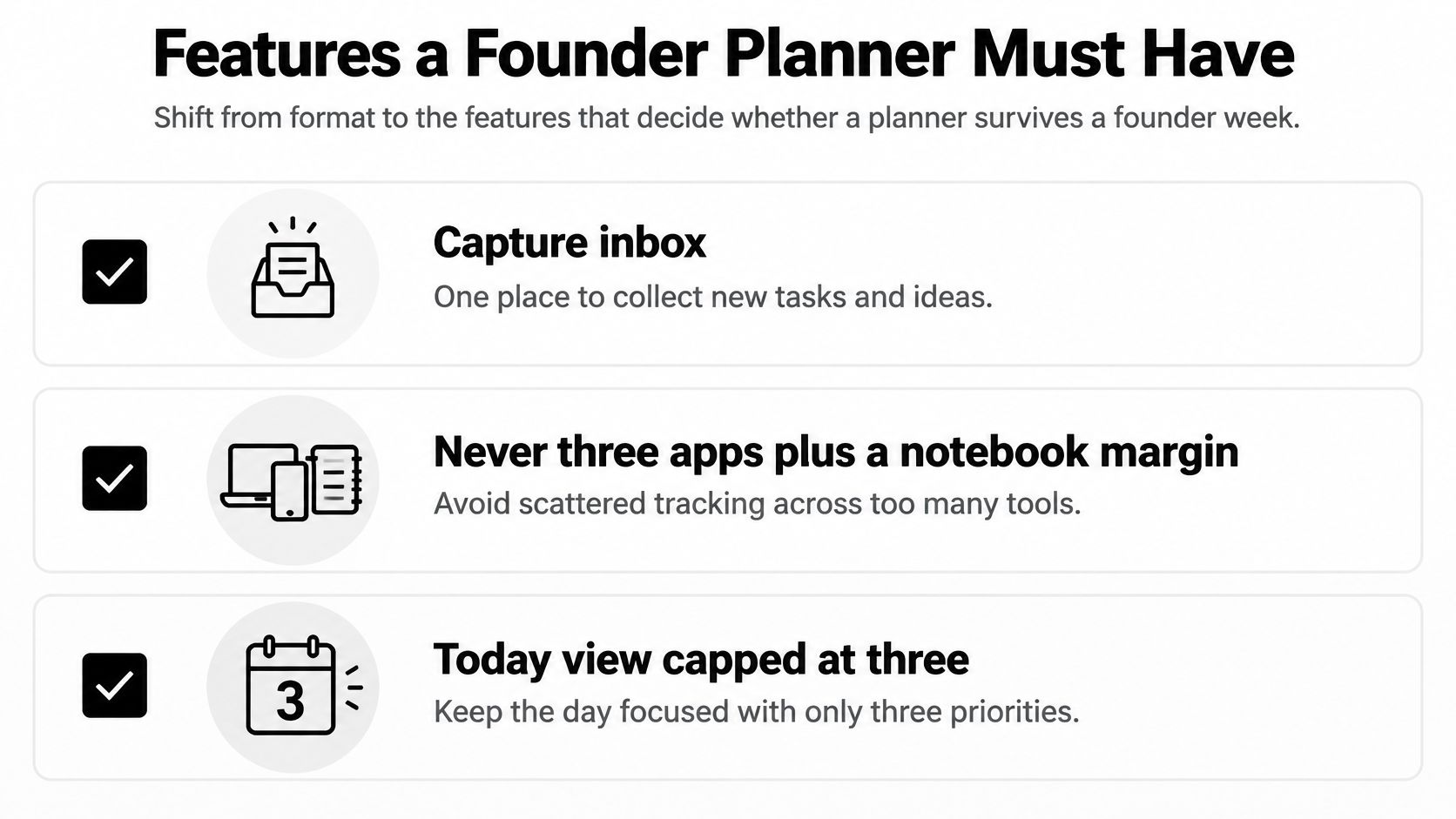
Judge features by the decisions they remove. A planner doesn’t need a life dashboard, a personal manifesto, and a weather tracker before it can help you send an invoice.
Use this checklist to inspect the layout before you commit.
Pass the working-day checks
- A single capture inbox. Pass if you know where a new request goes without thinking. Fail if you must choose between Apple Notes, a task app, a notebook margin, and a message to yourself.
- A bounded today view. Use three outcomes as your suggested ceiling. A long backlog belongs elsewhere; displaying everything doesn’t make everything executable.
- Clock blocks with a buffer. Try work periods of 25 to 50 minutes, with actual start times and a named buffer. Write what the buffer absorbs, such as call overruns or sorting incoming requests.
- A visible done column. Keep completed outputs in sight until you close the day. An empty task list can hide the work you shipped.
- A parking lot. Save a real idea without promoting it to today’s assignment. Capture the thought, then return to the work already underway.
These aren’t reasons to buy a complicated template. A line down the middle of a card can separate planned work from completed work perfectly well. For the wider setup around your desk, files, and incoming commitments, use our organization tips for adults with ADD to remove competing places to look.
Include an exit and a restart
Require a handoff box with an owner, a sentence defining done, and a check-in time. A planner that only assigns work to you is an incomplete founder tool.
Require a restart box, too. After an interruption, it should ask for the next moves, not an apology essay. Reject streak counters that make a skipped Tuesday look like a business failure, and color systems that require their own maintenance session.
If a dense document is blocking a task, smry’s text-to-speech for ADHD readers is an optional way to listen instead of adding another reading obligation to the page. Keep the document’s resulting action in your existing inbox rather than building a separate audio workflow.
Pass-fail rule: If a feature doesn’t reduce a decision or something you must remember, it doesn’t earn a place on the card.
Your layout should work on a chaotic Monday without depending on a ceremonial Sunday. If setup takes more attention than choosing the work, delete fields.
Build the Weekly Founder Card Tonight
Make the first version with the tools already within reach. Don’t spend tonight designing a template you’ll need another evening to learn.
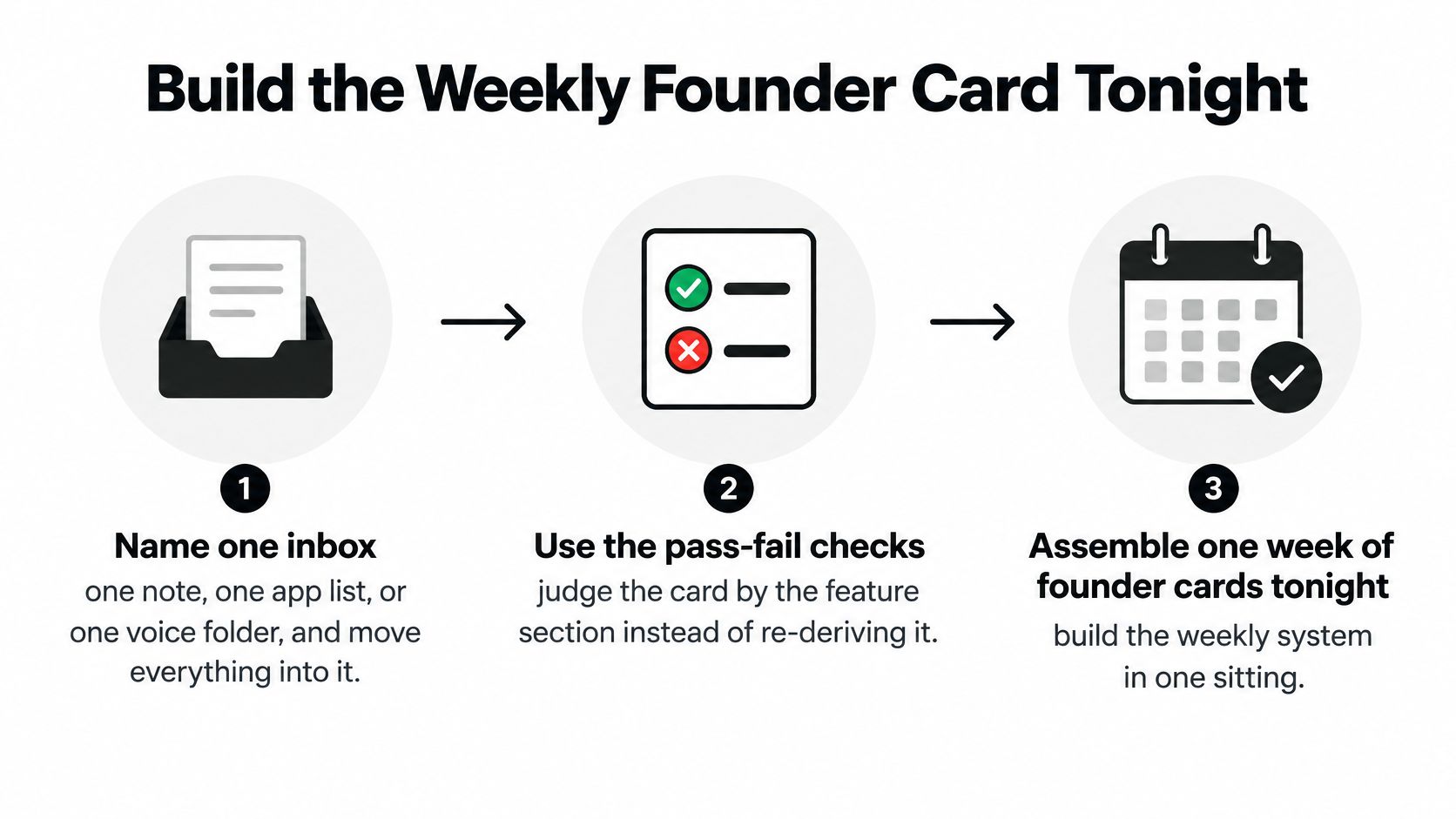
This is a setup exercise, not a new planning hobby. Use the sequence below, then stop when the cards are usable.
Assemble a usable week
-
Name the inbox. Choose a note, app list, or voice folder and give it a literal name, such as Capture. Move stray task notes there without classifying every item. You’re consolidating entry points, not reorganizing your entire business.
-
Draw the daily card. For this trial, include the date, three outcomes, three to five clock blocks, a buffer, a done column, and a reward line. Use 25-to-50-minute blocks for substantial work; a short coordination task doesn’t need to fill one. Leave unscheduled space for existing appointments.
-
Add a parking lot underneath. Write enough context to understand an idea later. For example, note that you want to explore a referral offer for former clients, not merely referrals. The parking lot stores possibilities, not secret commitments.
-
Run a weekly filter. Try a 25-minute Friday or Sunday review. Keep work that moves revenue, protects reputation, or fulfils a named client promise. Put necessary business maintenance in an explicit slot rather than pretending every admin task is strategic.
-
Attach the handoff strip. Add fields for owner, definition of done, and check-in time. When a task belongs to someone else, create the instruction there rather than scheduling yourself to supervise every substep.
-
Print or pin a week of cards. Keep the current card visible and the unused ones nearby. Don’t build a 90-day daily schedule before you know whether tomorrow’s page works.
-
Test the first live day. Time a capture attempt and inspect the today view. If capture exceeds your trial target or extra outcomes creep in, simplify the route before using the next card. Remove fields before changing tools.
Copy this Tuesday, then adapt it
Say you run an agency with a small development team. Your Tuesday outcomes are a sent proposal, an accepted team handoff, and a merged feature branch. Existing meetings stay on the calendar; the card holds the execution blocks.
Sample agency-founder Tuesday card
| Time | Block | Done check |
|---|---|---|
| 09:10 | Client proposal, 50 min | Proposal sent to client |
| 10:05 | Buffer, 10 min | Inbox sorted into the single inbox |
| 11:00 | Team handoff, 15 min | Owner and definition of done written in the strip |
| 14:30 | Deep build, 50 min | Feature branch merged |
| 15:25 | Reward | Walk before Slack |
Treat these times as an example, not a universal schedule. If your client calls occupy the morning, move proposal work to an available slot rather than writing a fictional conflict-free day.
Attach a small payoff to sending the proposal, such as coffee outside. The later walk can remain the afternoon reward; you don’t have to wait for the entire card to be complete.
Keep completion observable. Proposal improved invites another polish; proposal sent tells you when to stop. If a block ends unfinished, write the next physical action before leaving it, such as add the pricing table and send, rather than the unhelpful continue proposal.
Dopamine Loops That Make You Reopen It
Don’t make opening your planner the moment you receive a disciplinary notice from yourself. Make it the start of a short, achievable work cycle with an enjoyable finish.
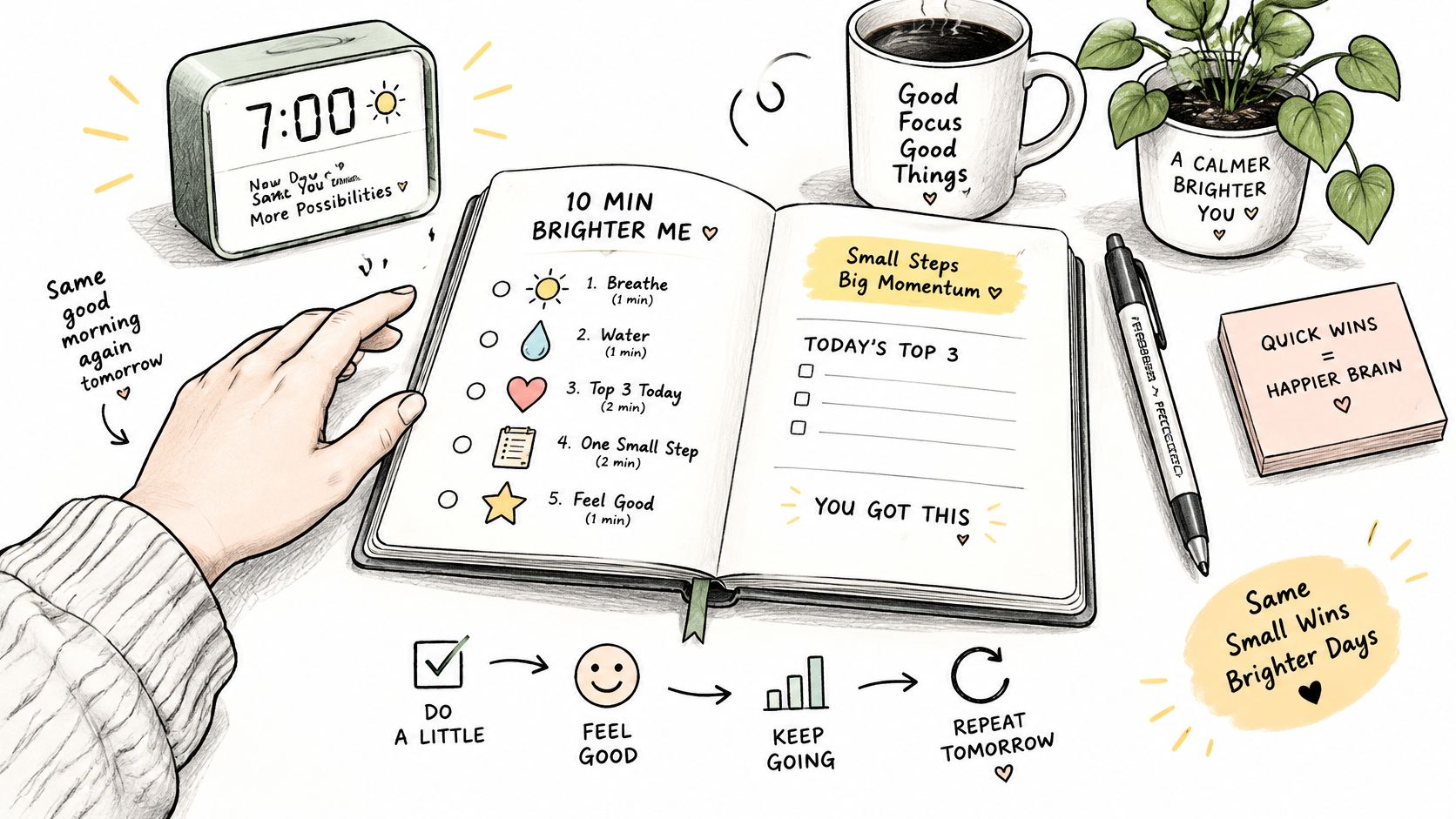
Use the morning routine as a rehearsal, not a personality test.
Make the opening small enough to do
Try a 10-minute morning open: scan the inbox, choose today’s outputs, and prepare the first file or document. Aim to start the opening work block within 15 minutes of sitting down. These are suggested trial timings, not a claim about how every adult with ADHD should work.
Leave email closed until that block ends, unless you’re explicitly responsible for urgent coverage. If customers need immediate responses, assign coverage rather than hoping nobody contacts you. Protecting a block requires an operating agreement, not just a timer.
Prepare a small reward before starting. Choose a walk, coffee outside, a short session on an interesting side project, or a message to a peer confirming that the awkward task is finally done.
Finish small, get paid in something you can feel today, then do the next block.
Keep basic needs outside the bargain. Food, water, rest, and medication aren’t prizes you earn through output. Pick an extra pleasure, not permission to look after yourself.
Stop using emergencies as the incentive
Compare two hypothetical afternoons. In one, you finish a difficult client email and step outside before the next block. In the other, you avoid it until the deadline becomes frightening, then cancel your evening to clear the fallout.
The second version gives you a dramatic story. The first gives you an ordinary evening. Choose the ordinary evening.
For another way to approach the routine, use this video alongside your card experiment.
Try rotating the reward every couple of weeks if you stop looking forward to it. Change the payoff before rebuilding the entire planner. Our guide to an ADHD reward system for business momentum can help you choose rewards around finished business work rather than endless preparation.
For dull admin, arrange a coworking session or ask a body-double to work alongside you. Give the session a visible finish, such as reconciled receipts or sent follow-ups. A dedicated playlist can serve as your start cue without becoming another elaborate ritual.
When you miss a block, resume at the next available one. Don’t spend that slot writing a detailed account of why the previous slot went wrong. Adjust the task or timing if needed, then give yourself another clean attempt.
Delegation Strips That Clear Your Card
Your planner should be a routing desk, not a museum of intentions. A founder who captures everything but keeps every task hasn’t solved the workload problem. They’ve catalogued it.
Separate work that needs your judgment from work someone can complete against a clear brief. Offers, consequential client decisions, hiring choices, and product direction may need you. Formatting the deck probably doesn’t.
Turn an intention into an output
Take a parked task and decide what another person could deliver. Then write the handoff so the recipient doesn’t have to reverse-engineer your expectations.
| Handoff field | Example instruction |
|---|---|
| Owner | Maya |
| Output | Draft three subject lines for the client reactivation email |
| Definition of done | Each matches the approved offer and is ready for selection |
| Check-in | Thursday at 16:00, in the campaign board |
| Escalation | Flag missing offer details before drafting |
Those details form a hypothetical brief, not a staffing prescription. Adjust the owner, deadline, and output to the actual work.
Bad handoff: Handle marketing.
Rewritten instruction: Maya, add three subject lines for the reactivation email to the campaign board by Thursday at 16:00, using the approved offer and flagging any missing details before drafting.
The rewritten version lets someone begin, decide whether the output is complete, and raise a specific blocker. Your card now needs the check-in, not a parallel list of their drafting steps.
Don’t take the work back by stealth
Use our guide to delegating tasks effectively when you need a clearer handoff process. Before assigning anything, check that the recipient has the required access, source material, and authority. A named owner without those basics is just a named bottleneck.
Solo founders can still route work deliberately. Consider a bookkeeper for bookkeeping or a virtual assistant for defined administrative outputs if the budget supports it. When you must do the work yourself later, leave a written brief for that scheduled session so you don’t have to reconstruct the task.
Handoff test: Could the recipient tell you what finished looks like without asking you to explain the whole assignment again?
If you repeatedly rewrite delegated work late at night, inspect the brief before blaming effort. Check whether you omitted an acceptance criterion, supplied an unsuitable example, or changed your preference after delivery. Correct the instruction and distinguish a genuine quality problem from something you would merely have done differently.
At Friday’s review, ask: Which three items should never have been on my card? Use the answer to change next week’s ownership, not to produce a longer complaint about being indispensable.
Run the 14-Day Planner Test
Give your chosen format a 14-day pass-fail trial before opening another shopping tab. Keep the setup stable enough to learn where it breaks: capture, choosing work, starting, or handing work off.
You’re testing an operating arrangement, not proving you can become a flawless planner user. A missed day is useful evidence if you can return without rebuilding everything.
Keep a tiny evidence log
Use a single line at close of business. For example, a hypothetical entry might read: capture under 30 seconds, yes; outcomes, three; handoffs completed, one; restarted after interruption, yes.
Judge the trial against these practical checks:
- Capture works. A new request reaches its home without a detour through menus or competing lists.
- The day stays bounded. You mostly use the outcome limit instead of turning the card into a backlog.
- Work leaves your ownership. At least one real handoff reaches the agreed finish.
- Recovery works. After a missed day, you resume without buying a replacement tool.
On day 10, if the card is still abandoned, cut features. Remove decorative trackers, shorten the morning setup, or move the card into your direct line of sight. Don’t add an app to compensate for a page you won’t open.
Keep what survives contact with work
At day 14, keep the format that passed and discard unused fields. If it failed, name the specific failure before changing formats. Difficulty finding a pen and difficulty sharing deadlines call for different fixes.
You don’t need a paid product to complete this test. Our free Morning Blueprint and Weekly Build Filter cover the morning setup and weekly selection work. After the trial, our ADHD Founder Starter Kit / Brain Map is an optional next step, with Brain Mapping, a personal report or blueprint, training, and the associated toolkit described in the offer.
The useful result isn’t a prettier record of your intentions. It’s knowing how you’ll begin tomorrow and which work no longer belongs to you. Pin tomorrow’s card tonight and put a task in the handoff strip before closing the laptop.
Jan Kutschera offers free planning resources and the ADHD Founder Starter Kit / Brain Map for founders who want help structuring their work. Visit Jan Kutschera for the Morning Blueprint and Weekly Build Filter, then consider the Starter Kit after you’ve tested your card against a real working week.
Jan Kutschera
German founder, diagnosed with ADHD at 51. Built 4 agencies, now building systems for neurodivergent entrepreneurs. German engineering for the ADHD brain.
Connect on LinkedInRelated Articles

Accountability Partner App: 10 Picks for ADHD Founders
Compare 10 accountability partner apps for ADHD founders: how each works, setup workflows, privacy and pricing trade-offs, and which fits your needs.

10 Creative Problem Solving Techniques for ADHD Founders
Explore 10 creative problem solving techniques for ADHD founders, from Design Thinking to Pre-mortems, with steps, templates, and when to use each.

Your ADHD Management App: A Founder's Integration Guide
Stop downloading and deleting. Learn to integrate an ADHD management app into an engineered operating system built for founders. Actionable steps inside.